微服务架构拆分与远程调用
认识微服务
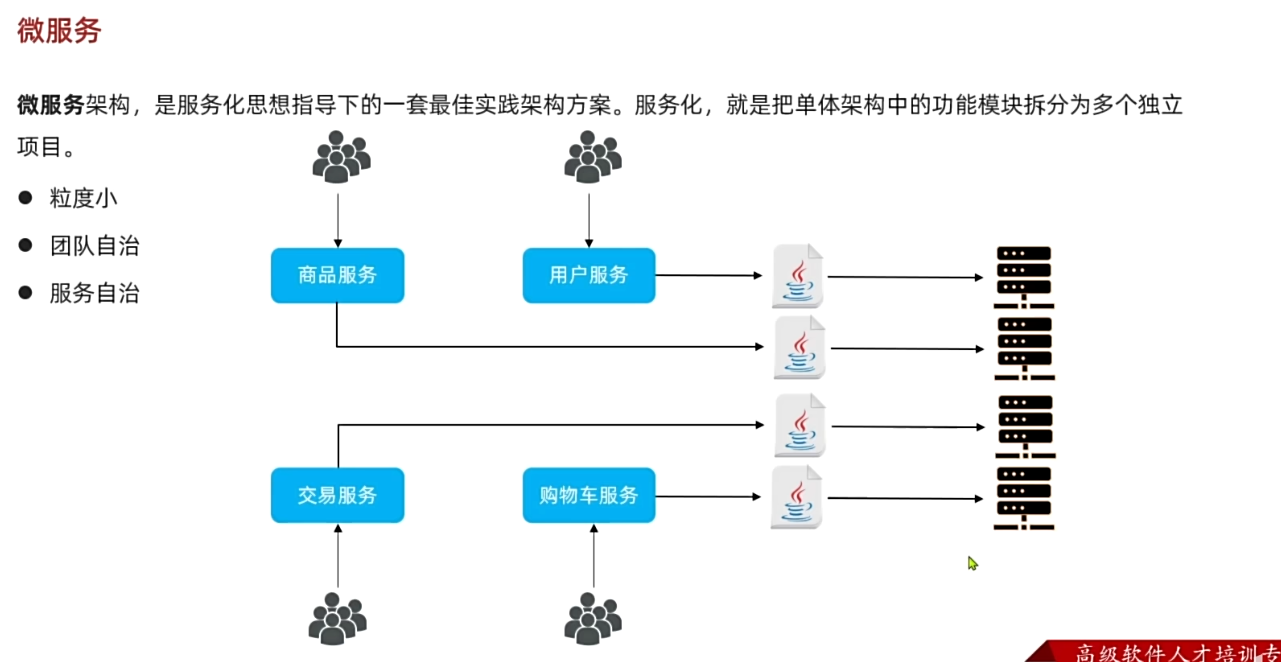
- 单体架构: 将所有业务功能集中在一个项目中开发, 打成一个包部署
- 架构简单, 部署简单
- 团队协作成本高, 系统发布效率低, 系统可用性差
- 适合功能简单, 规模较小的项目
拆分
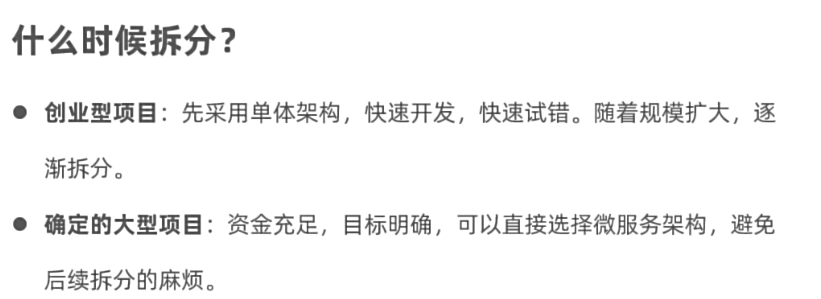
拆分时机
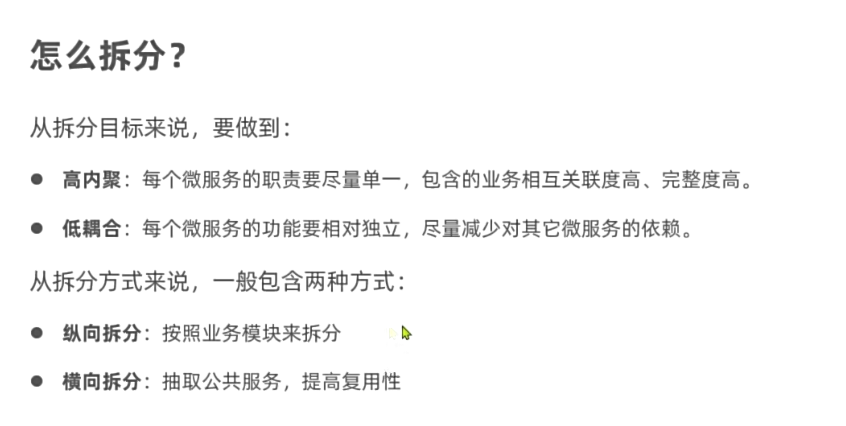
如何拆分
模式
-
独立
Project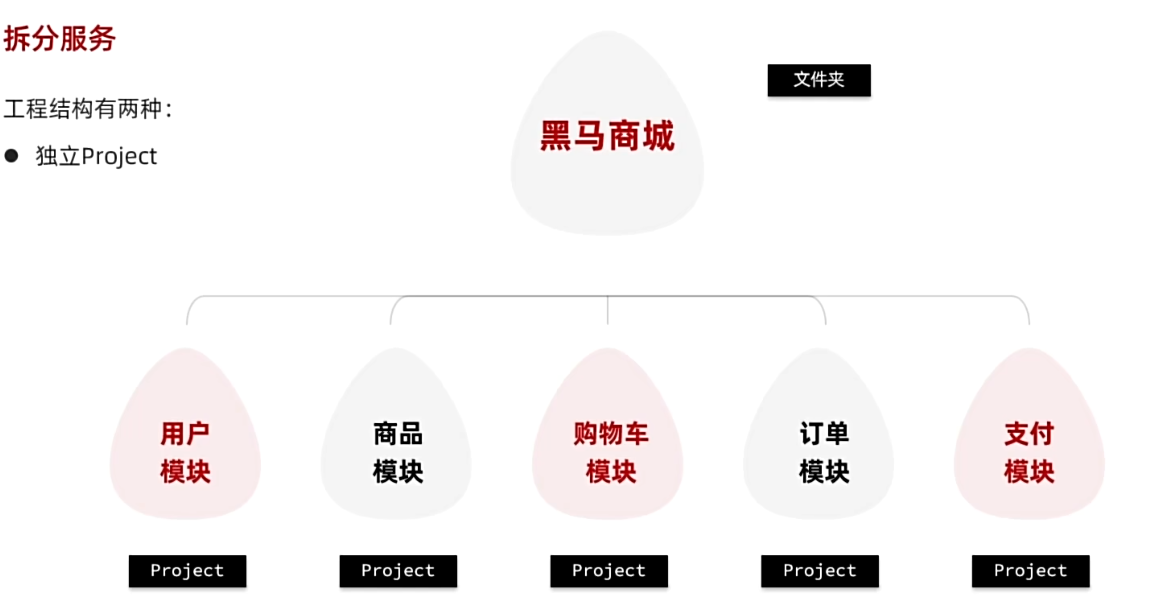
-
maven聚合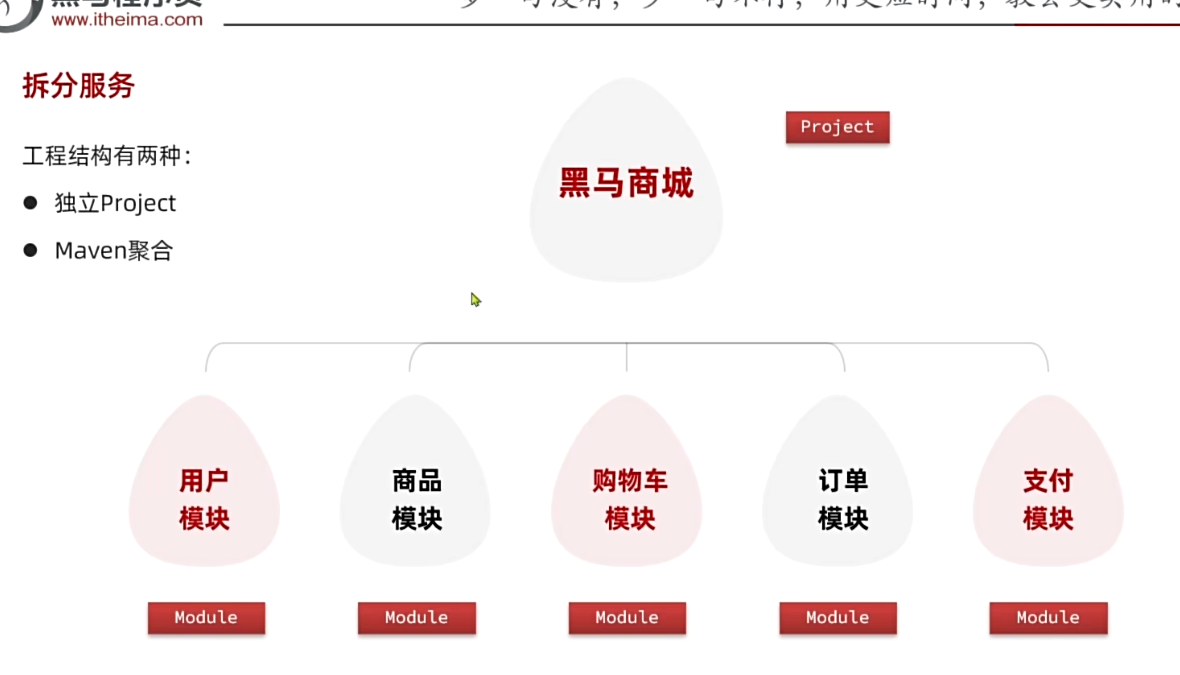
大型项目可以使用 Project 模式, 中小型项目使用 Maven模式
demo-黑马商城
- 使用
Maven聚合模式
https://www.bilibili.com/video/BV1S142197x7?vd_source=a9a24992f7f570a16d5a331e8fed9f0d&spm_id_from=333.788.player.switch&p=44
远程调用
restTemplate
cart中要使用item-service
// 服务拆分之后就不能直接调用了
//        List<ItemDTO> items = itemService.queryItemByIds(itemIds);

        // 2.1 利用 resttemplate 获取响应
        ResponseEntity<List<ItemDTO>> ids = restTemplate.exchange(
                "http://localhost:8081/items?ids={ids}",
                HttpMethod.GET,
                null,
                new ParameterizedTypeReference<List<ItemDTO>>() {
                },
                Map.of("ids", CollUtils.join(itemIds, ","))
        );
        if(!ids.getStatusCode().is2xxSuccessful()){
            return;
        }
        List<ItemDTO> items = ids.getBody();
注册中心
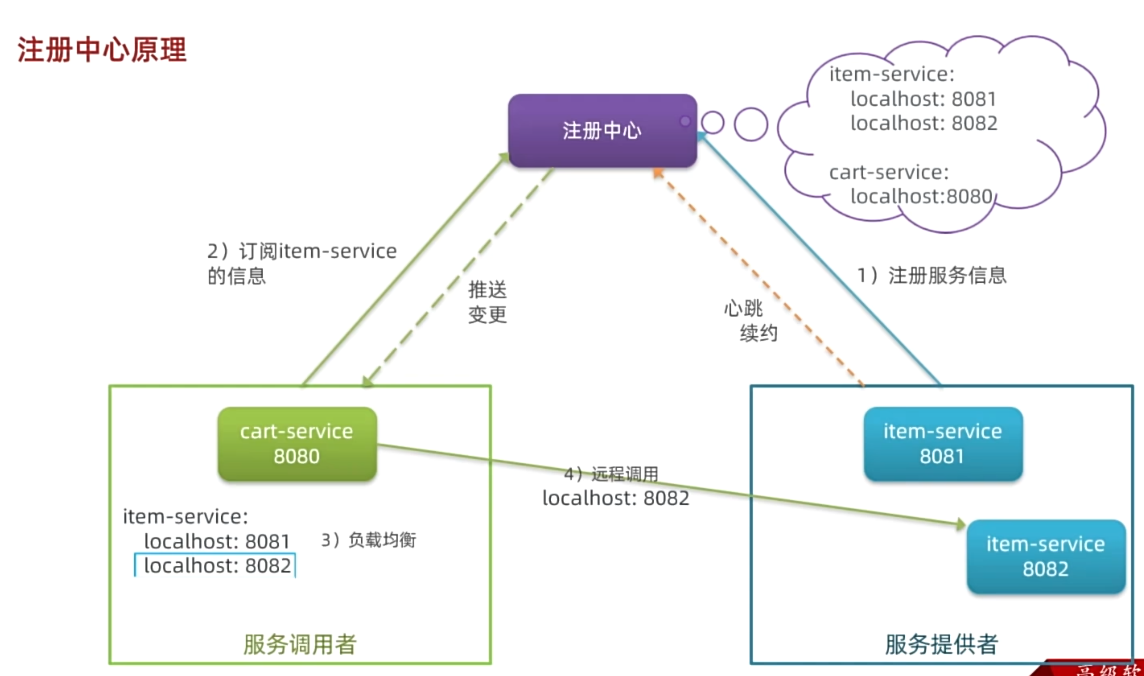
nacos
- 数据库中先执行
nacos.sql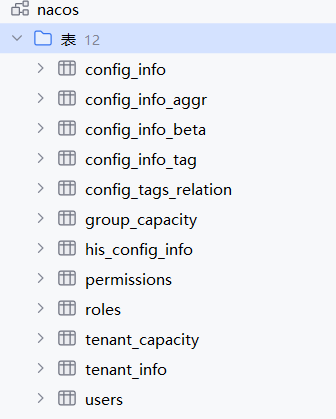
- 运行
docker
version: "3.8"


services:

  mysql:

    image: mysql

    container_name: mysql

    ports:

      - "3306:3306"

    environment:

      TZ: Asia/Shanghai

      MYSQL_ROOT_PASSWORD: 123

    volumes:

      - "./mysql/conf:/etc/mysql/conf.d"

      - "./mysql/data:/var/lib/mysql"

      - "./mysql/init:/docker-entrypoint-initdb.d"

    networks:

      - hm-net

  hmall:

    build:

      context: .

      dockerfile: Dockerfile

    container_name: hmall

    ports:

      - "8080:8080"

    networks:

      - hm-net

    depends_on:

      - mysql

  nginx:


    image: nginx

    container_name: nginx

    ports:

      - "18080:18080"

      - "18081:18081"

    volumes:

      - "./nginx/nginx.conf:/etc/nginx/nginx.conf"

      - "./nginx/html:/usr/share/nginx/html"

    depends_on:

      - hmall

    networks:

      - hm-net


  nacos:

    image: nacos/nacos-server:v2.1.0-slim

    container_name: nacos2

    env_file:

      - ./nacos/custom.env

    ports:

      - 8848:8848

      - 9848:9848

      - 9849:9849

    restart: always

    networks:

      - hm-net

networks:

  hm-net:

    name: hmall
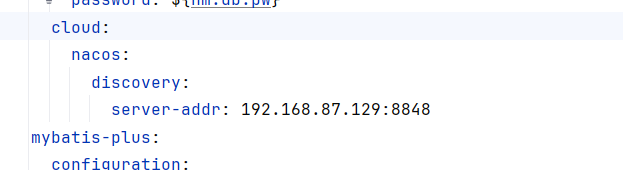
springBoot添加依赖
<dependency>
    <groupId>com.alibaba.cloud</groupId>
    <artifactId>spring-cloud-starter-alibaba-nacos-discovery</artifactId>
</dependency>
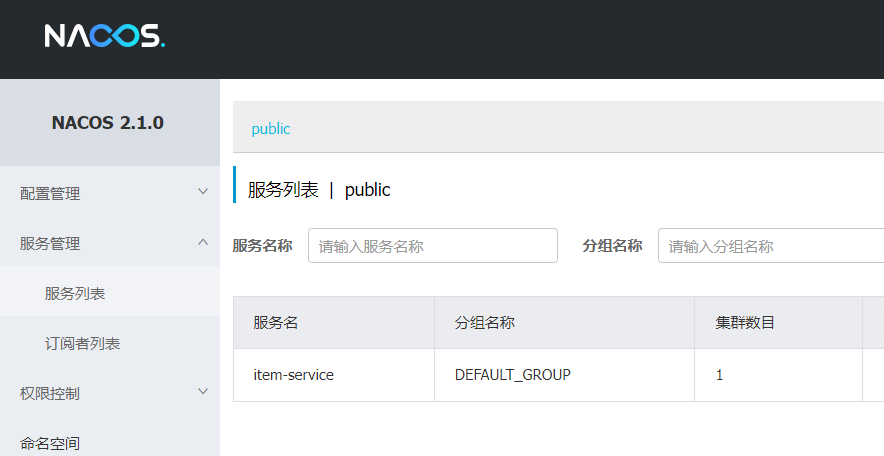
- 查看结果
http://192.168.87.129:8848/nacos/
用户和密码都是 nacos
-
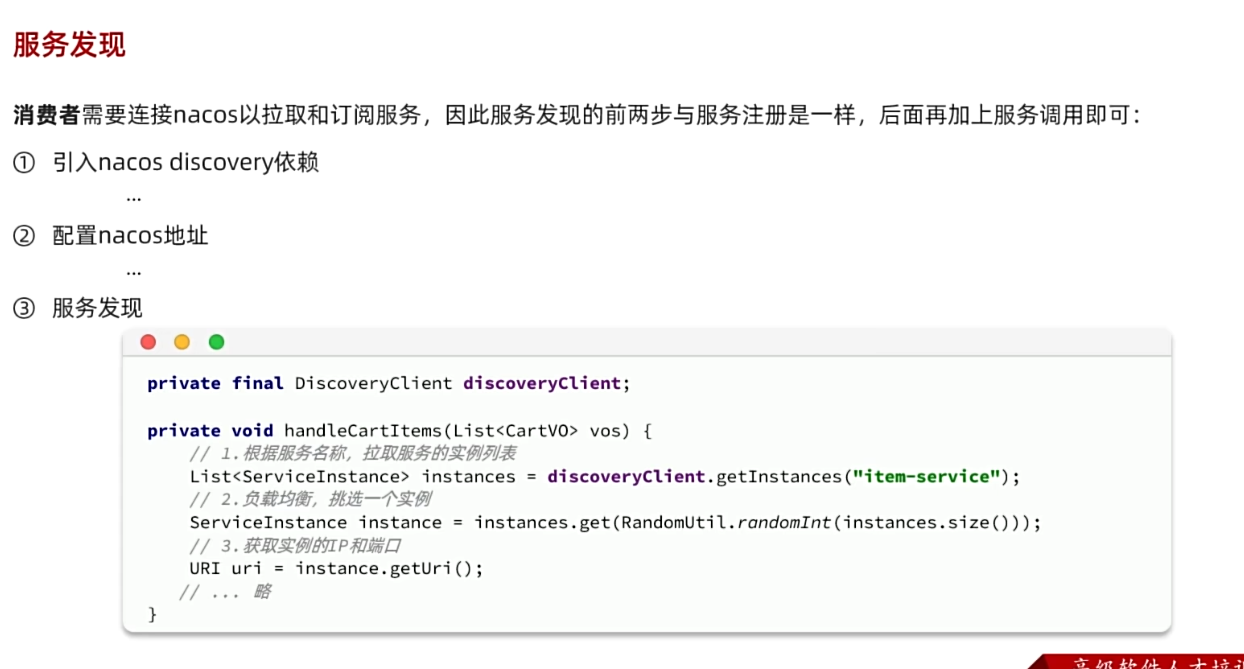
服务发现
-
购物车服务中
        // 1.获取商品id
        Set<Long> itemIds = vos.stream().map(CartVO::getItemId).collect(Collectors.toSet());

        // 2.1 根据服务名称获取服务实例列表
        List<ServiceInstance> instances = discoveryClient.getInstances("item-service");
        if(instances.isEmpty()){
            return;
        }
        // 2.2 根据策略选择一个实例
        ServiceInstance serviceInstance = instances.get(RandomUtil.randomInt(instances.size()));

        // 2.查询商品
        // TODO 获取数据
//        List<ItemDTO> items = itemService.queryItemByIds(itemIds);
        // 2.1 利用 resttemplate 获取响应
        ResponseEntity<List<ItemDTO>> ids = restTemplate.exchange(
                serviceInstance.getUri()+ "/items?ids={ids}",
                HttpMethod.GET,
                null,
                new ParameterizedTypeReference<List<ItemDTO>>() {
                },
                Map.of("ids", CollUtils.join(itemIds, ","))
        );
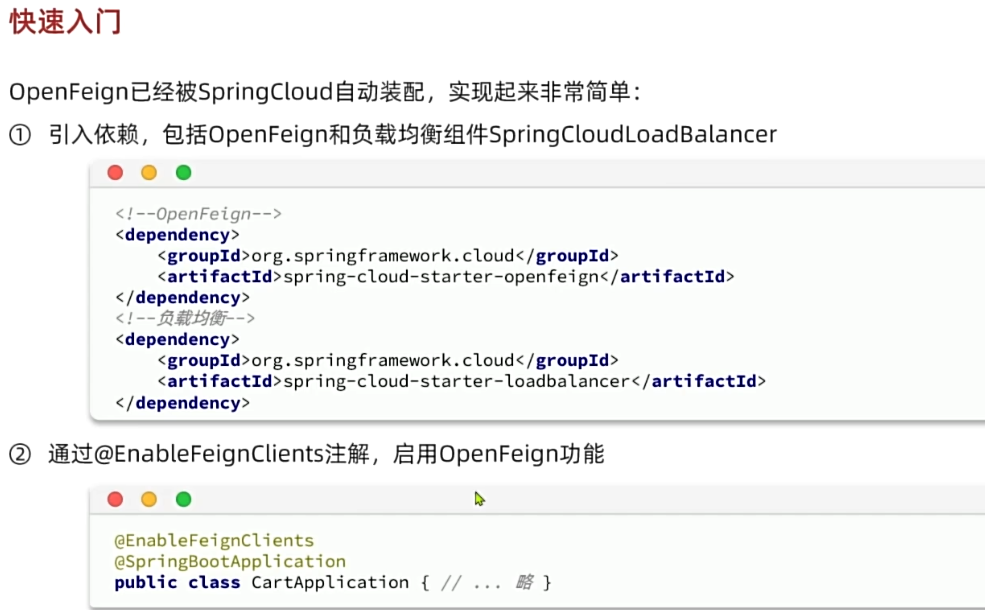
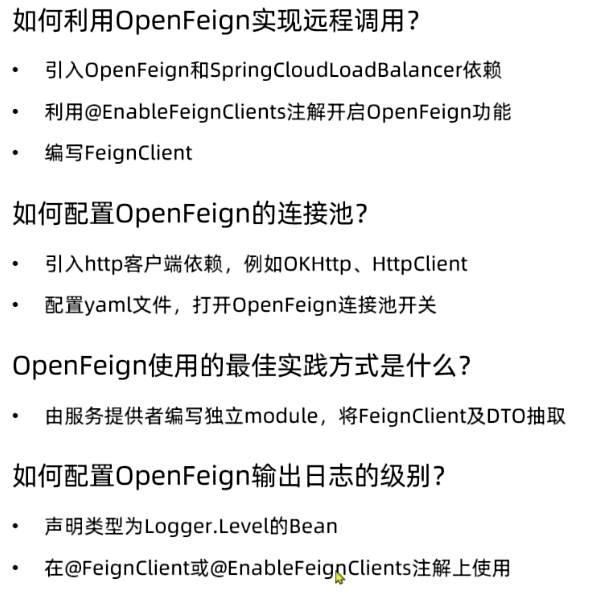
openfeign
- 在
nacos基础上省去了resttemplate获取请求的代码
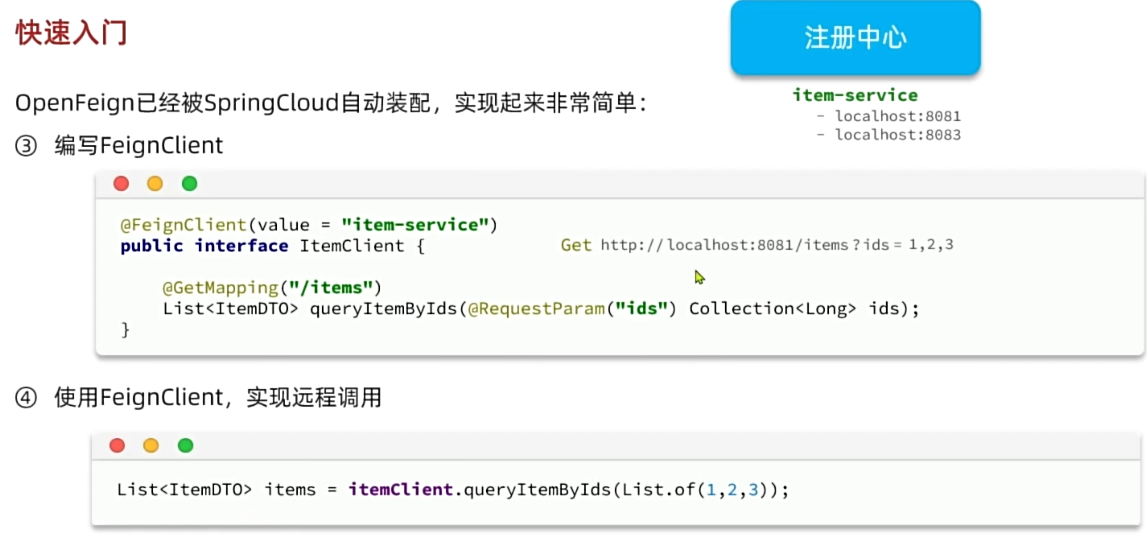
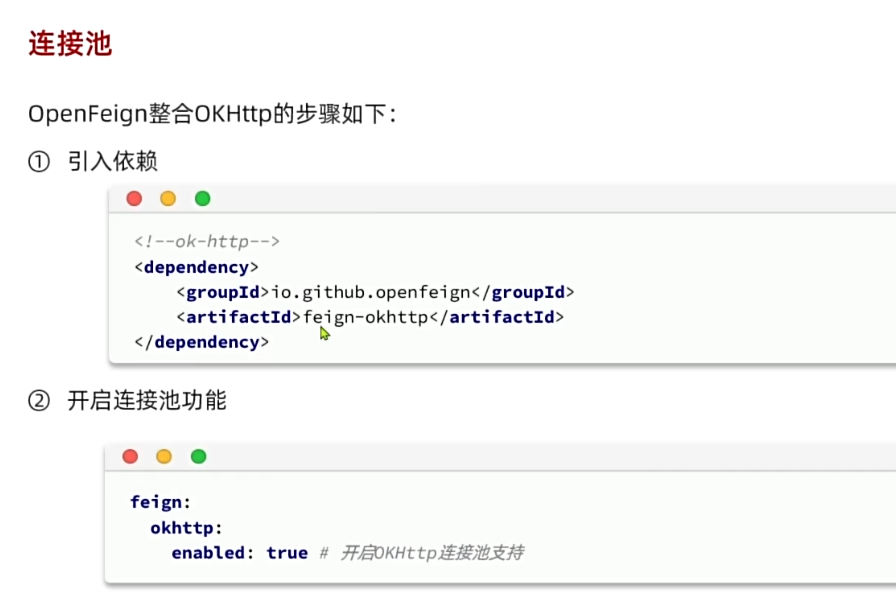
openFeign 连接池
openFeign 最佳实践
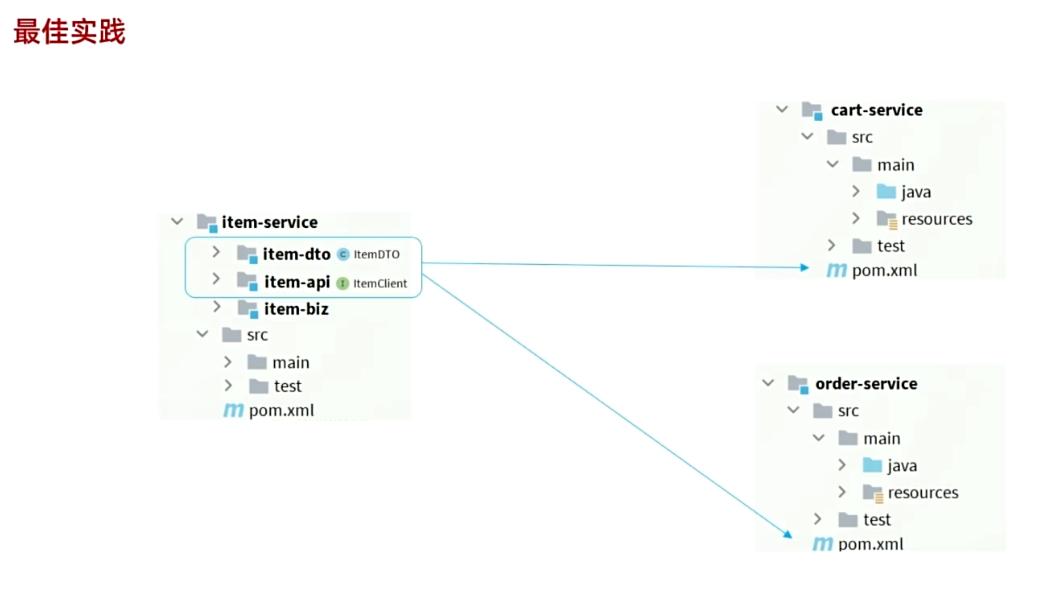
- 效果很好, 大型服务可以使用
- 结构复杂, 增加了工作量
- 如果每个微服务是一个
Project可以使用这种方式
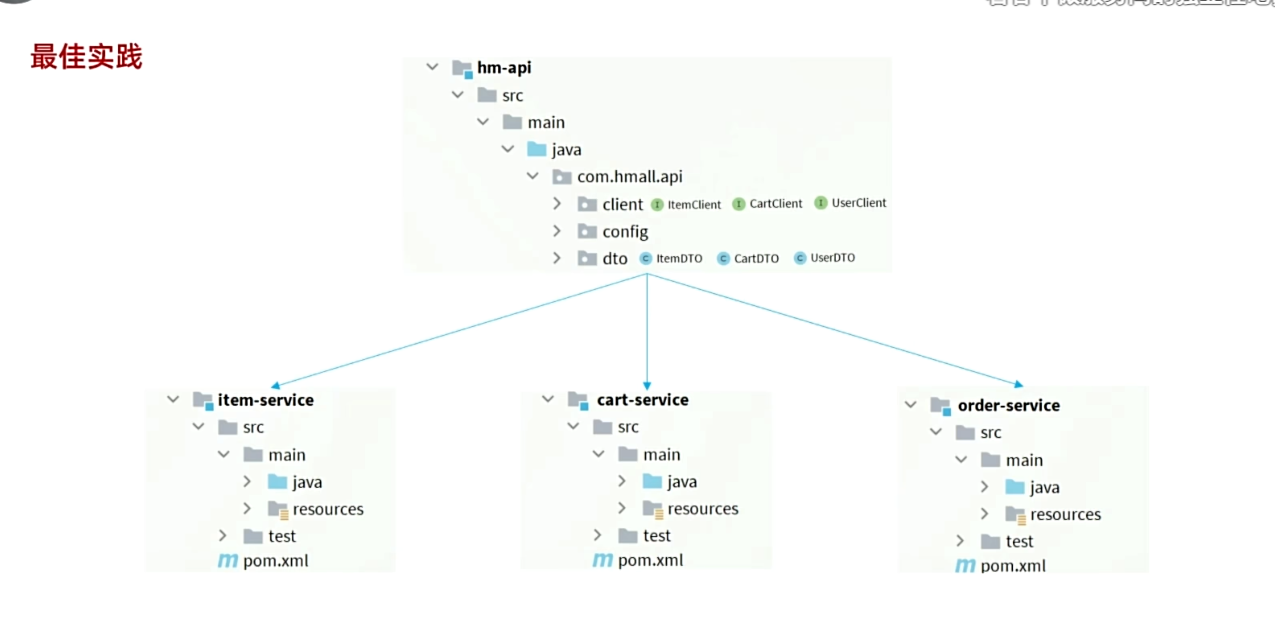
- 代码耦合度增加了
- 如果微服务是通过
maven聚合实现的, 可以使用这种方法
demo
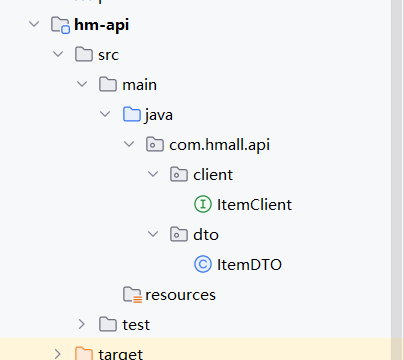
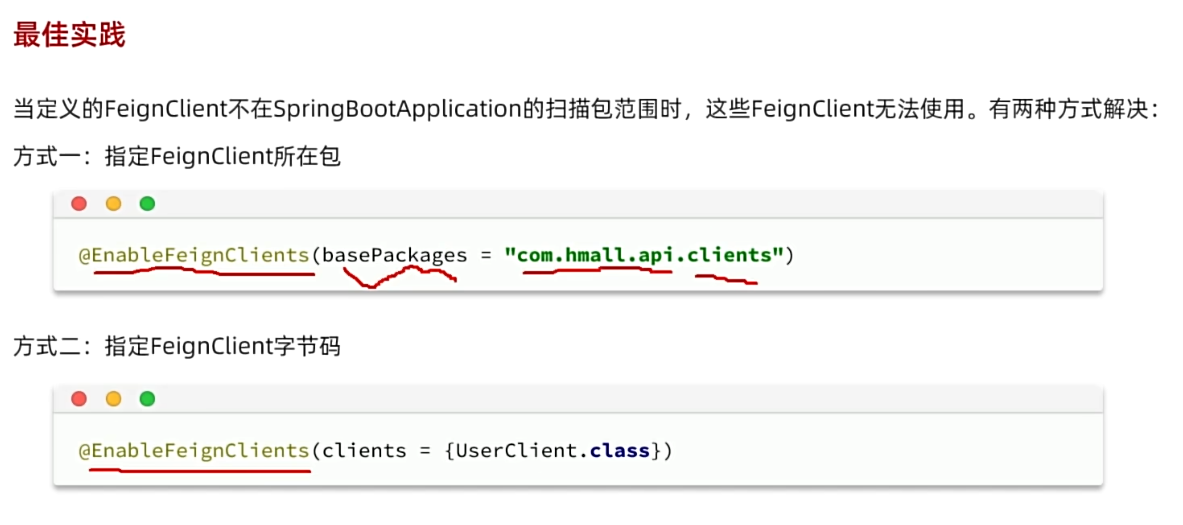
因为 cart 服务的包是 com.hmall.cart , 而 client 在 com.hmall.api.client , 因此不会扫描到, 所以
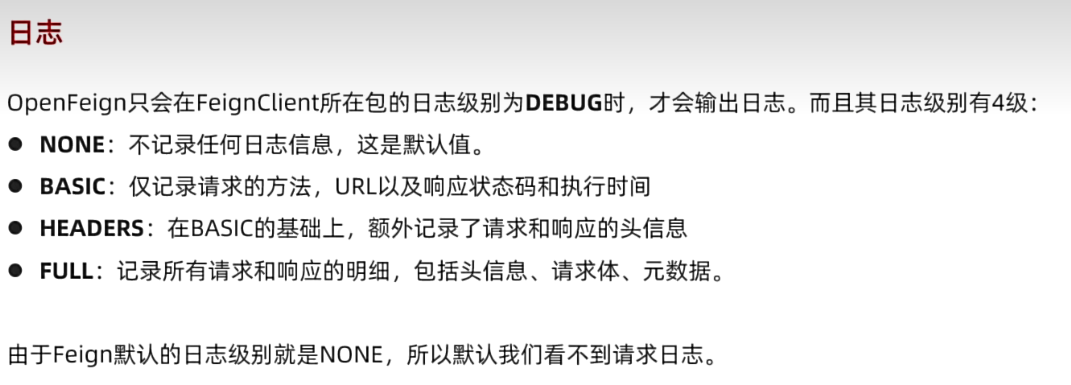
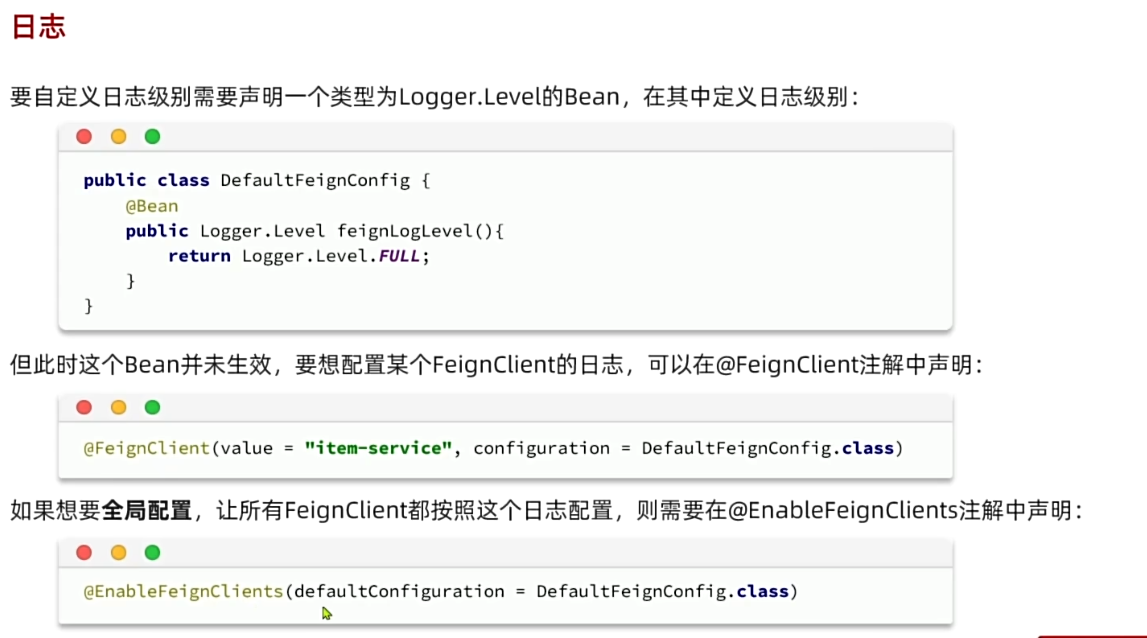
openFeign 日志
总结
作业
-
拆包出现跨服务调用的情况, 则外部服务的
controller中要有对应的接口 -
将
controller中的方法导入api-service中的client中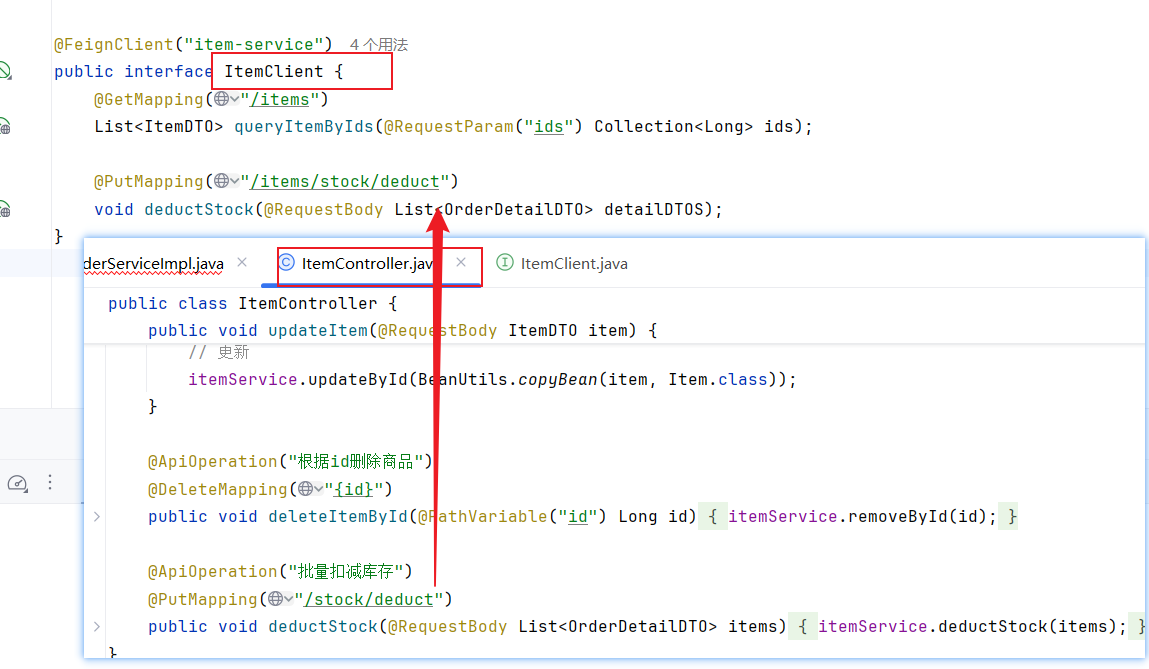
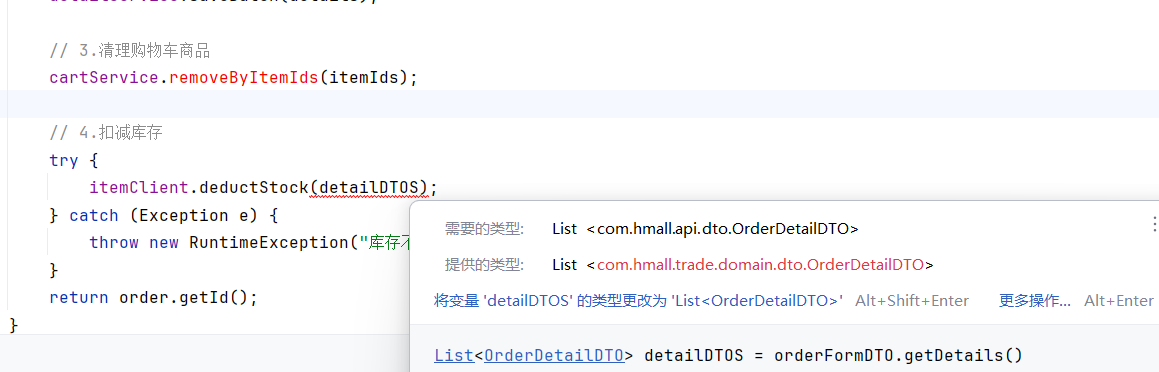
- 删掉当前包
trade下的dto, 引入api-service中的dto
问题
client找不到
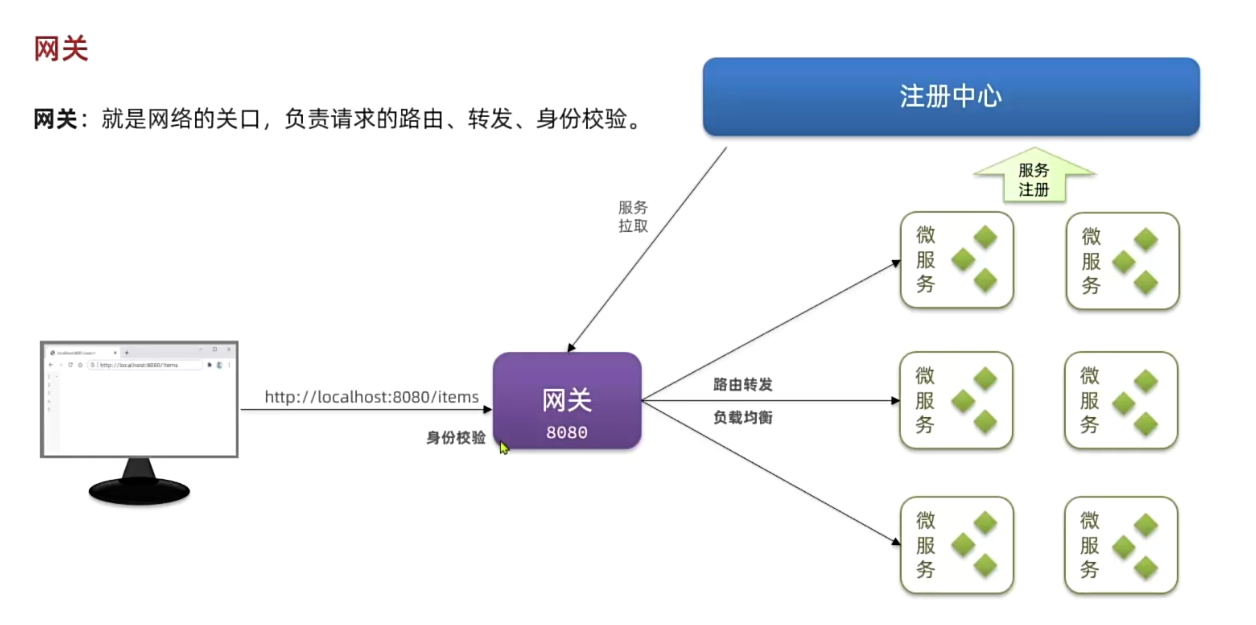
网关
- 如何解决用户身份的问题, 用户登录是
user-service, 其他服务并不知道用户身份 - 端口问题, 端口很多, 前端要访问哪个端口
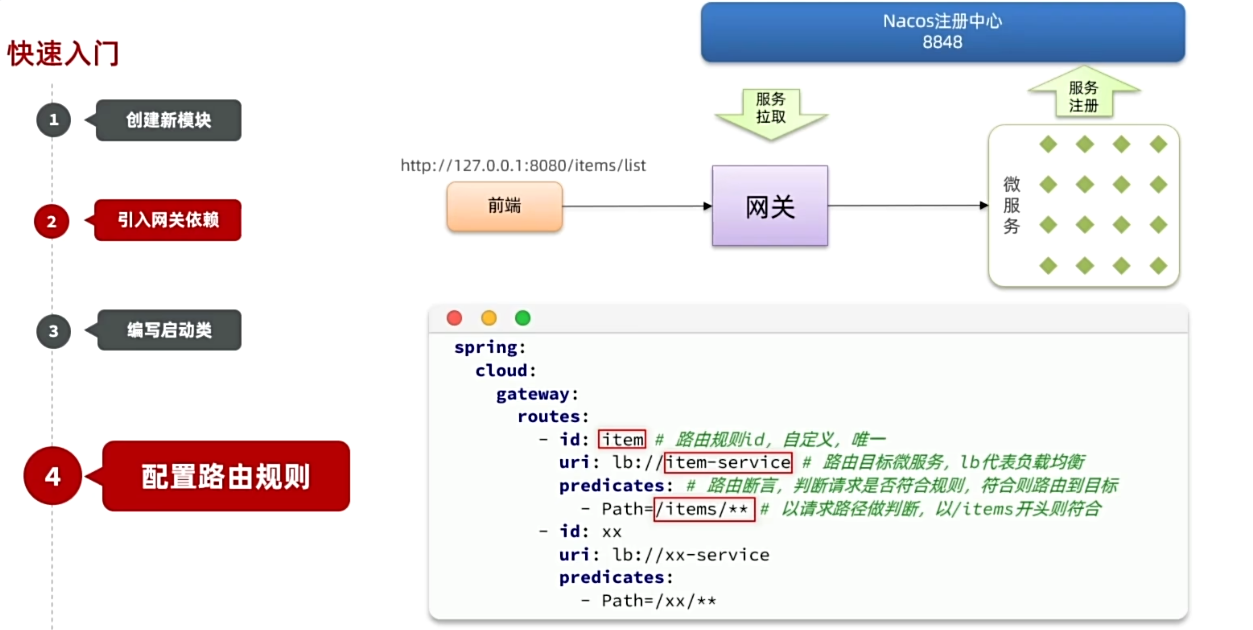
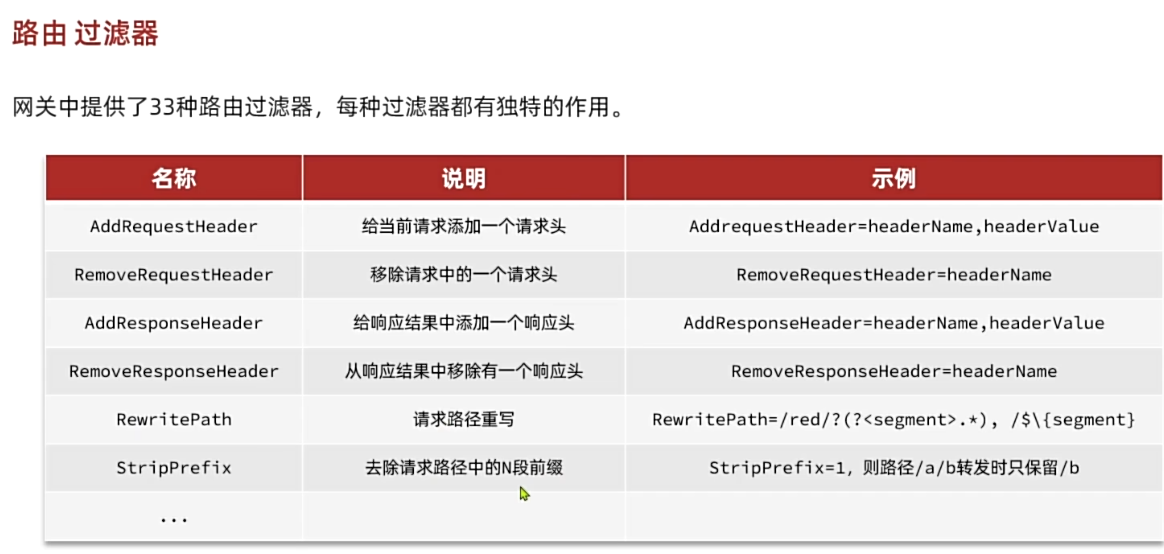
路由断言
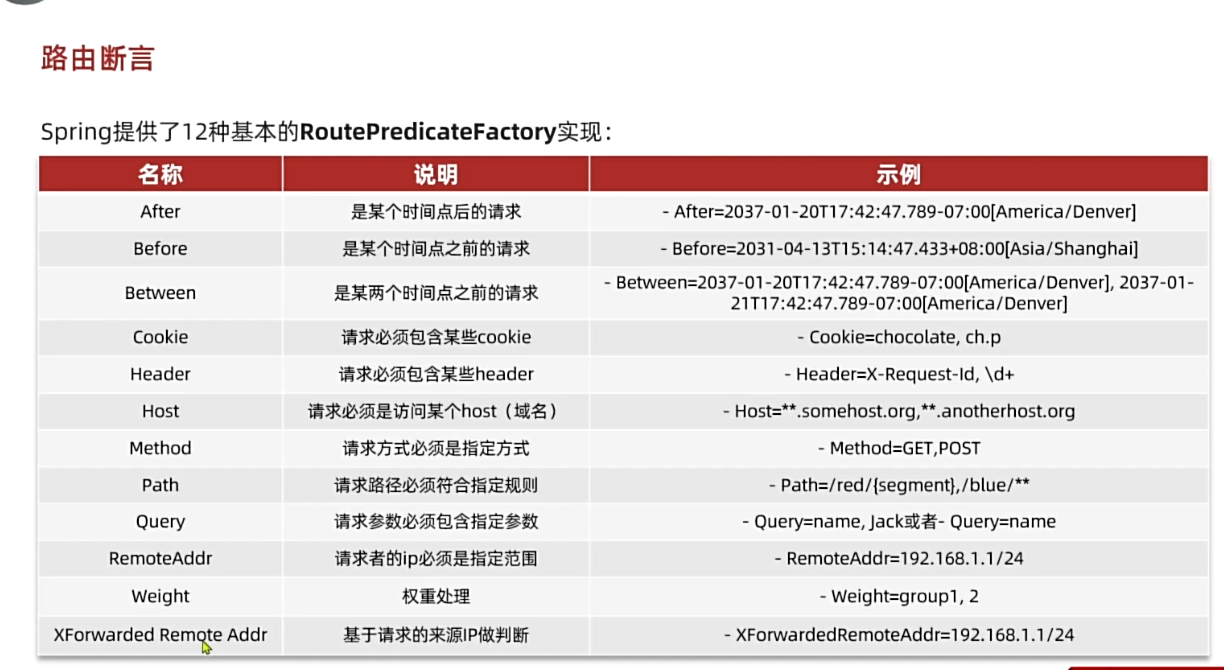
路由过滤