Java Collection 集合
使用选择
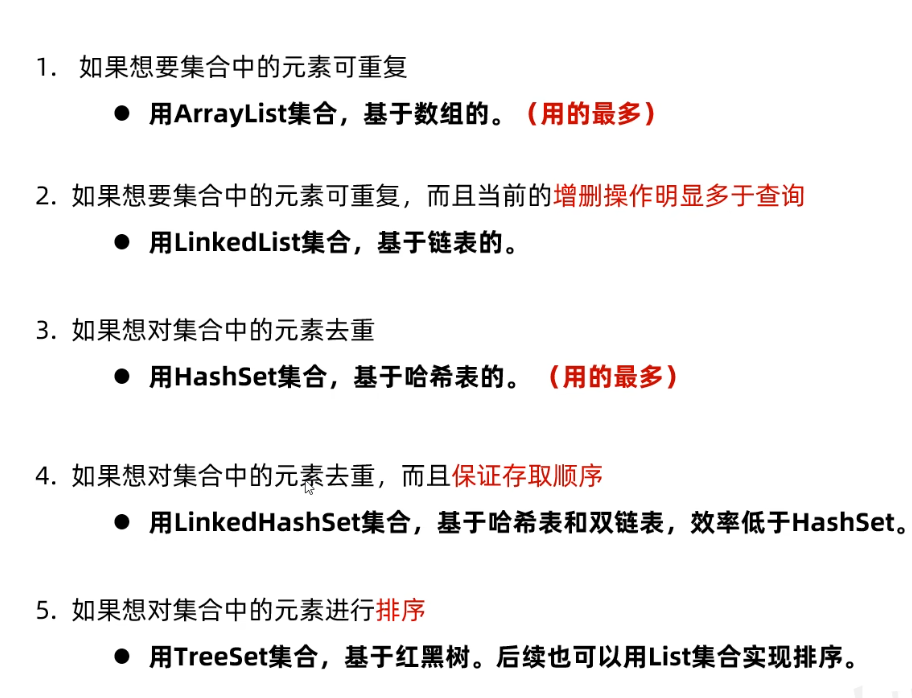
collection
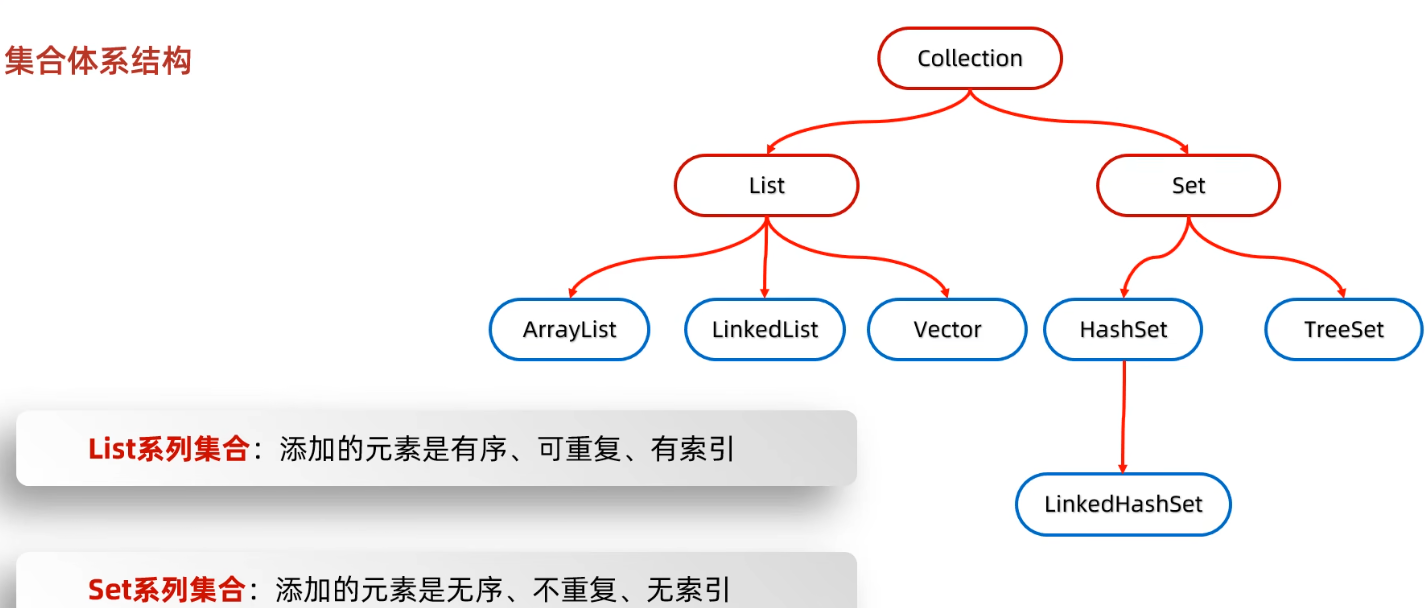
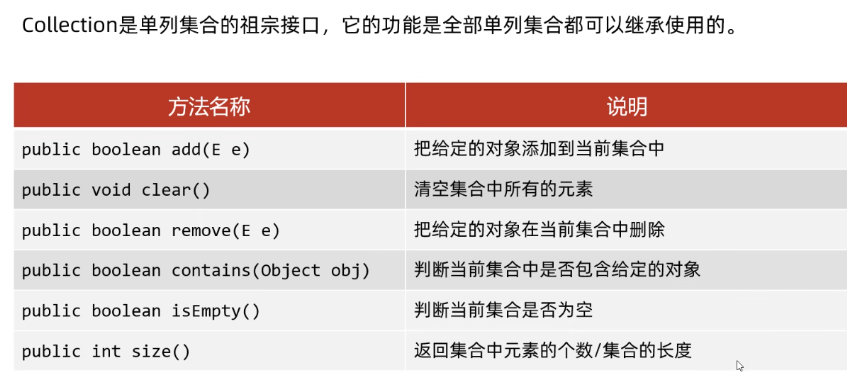
Collection<String> collections = new ArrayList<>();
collections.add("java");
collections.add("c++");
collections.add("python");

System.out.println(collections);
//collection 中定义的是共性方法(兼顾set), 所以没有索引操作
collections.remove("java");
System.out.println(collections.contains("java"));
System.out.println(collections);
System.out.println(collections.size());
collections.clear();
System.out.println(collections.isEmpty());

[java, c++, python]
false
[c++, python]
2
true
equals
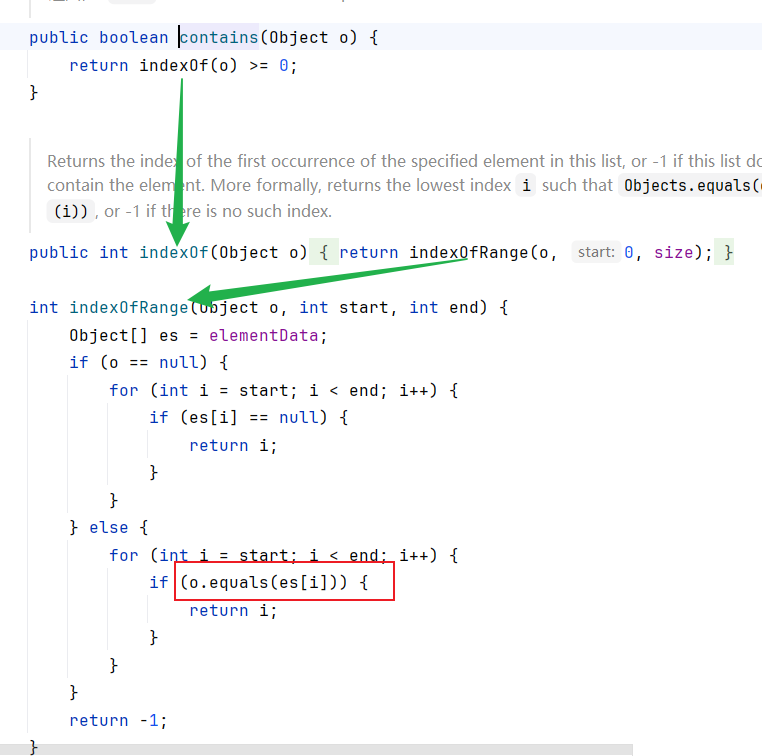
contains方法依赖equals实现比较, 如果数组是自定义类型且没有实现equals方法, 则默认使用Object.equals
Object的equals()方法使用 ==判断, 使用地址值判断
public boolean equals(Object obj) {
    return (this == obj);
}
- 因此使用 自定义类型的数组的
contains方法时要重写equals方法
collection遍历
- 因为是
collection, 没有索引, 因此不能使用for遍历;
迭代器
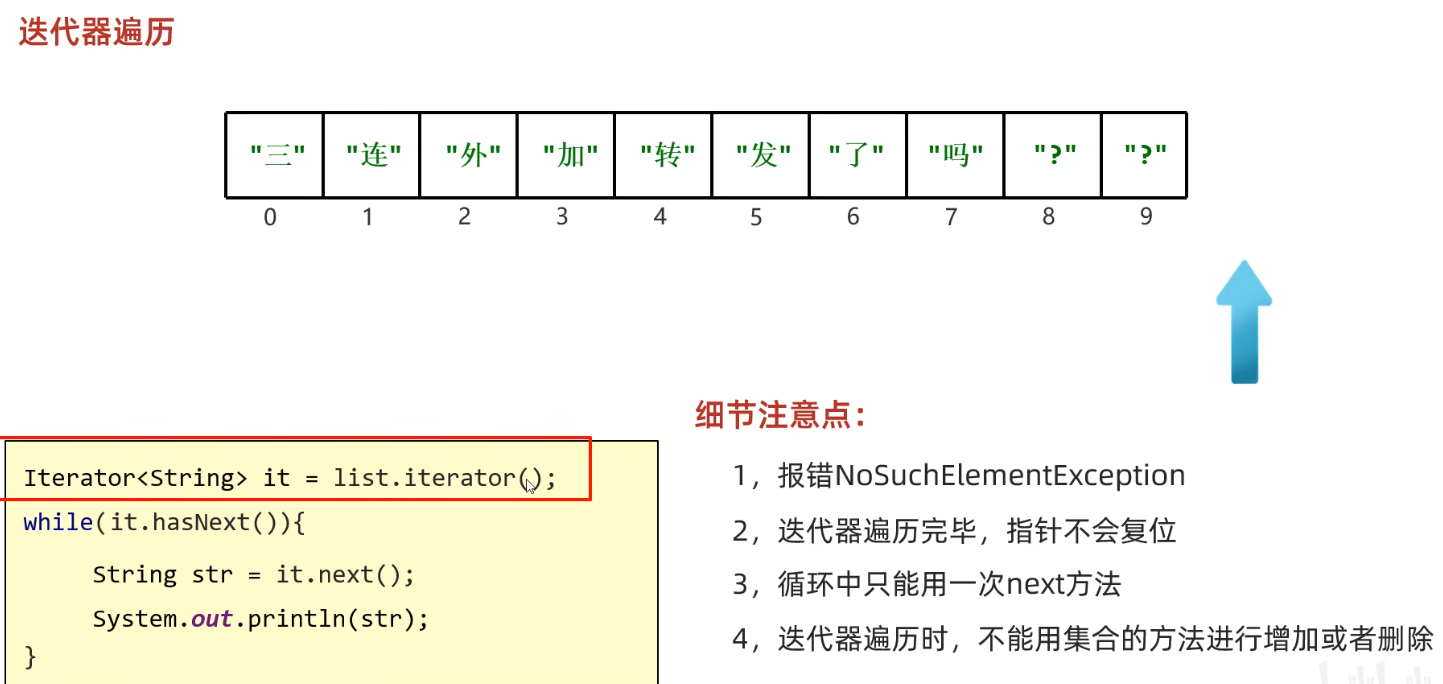
Iterator<String> iterator = collection.iterator();
while(iterator.hasNext()){
    String str = iterator.next();
    if(str.equals("c++")){
        iterator.remove();  //删除最后返回的(是上一个,因为next已经后移了)元素
    }
    System.out.println(str);
}
- 在迭代器内不能使用集合的方法对集合进行增加和删除.
增强For
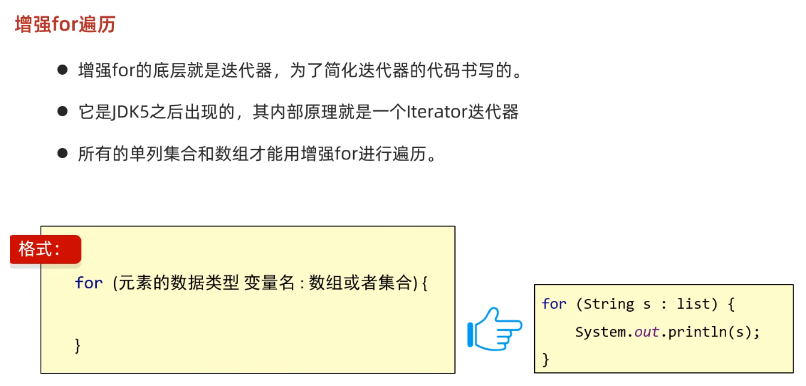
- 修改
s不会影响源集合中的元素
lambda
collection.forEach(new Consumer<String>() {
    @Override
    public void accept(String s) {
        System.out.println(s);
    }
});
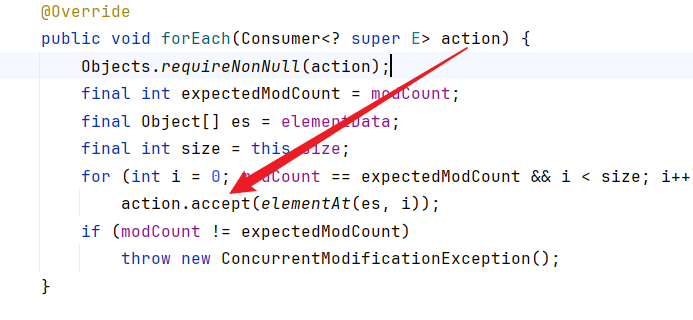
转为 lambda
collection.forEach(s-> System.out.println(s));
List
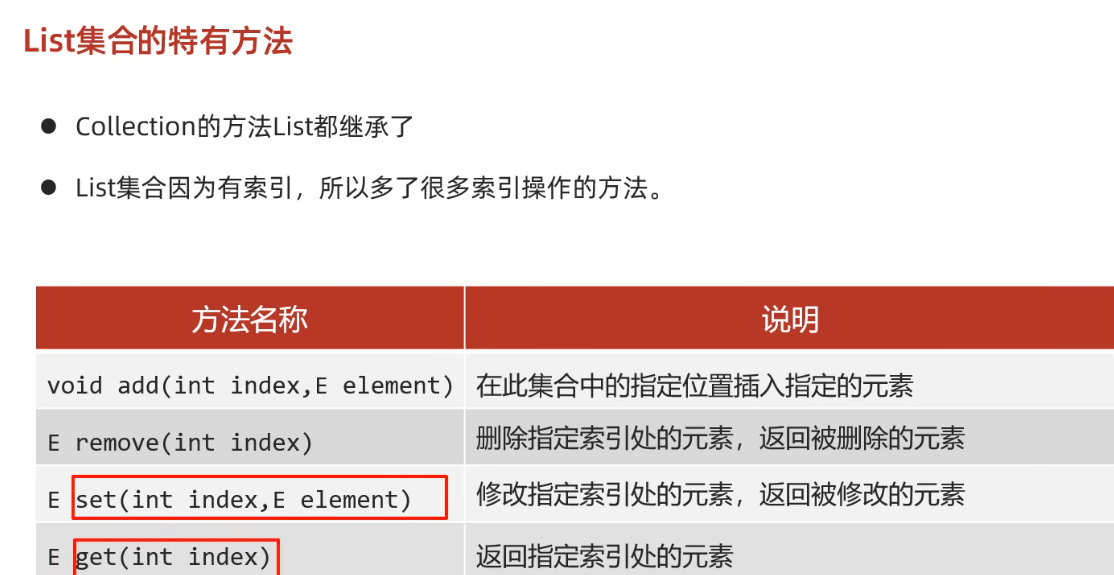
- 细节: 删除
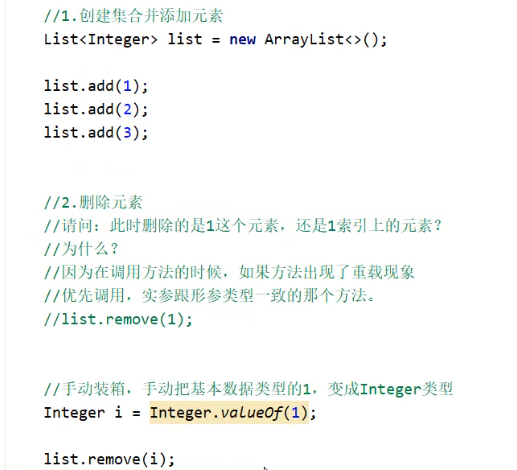
遍历
- 除了
collection三种外, 还有for(index), 列表迭代器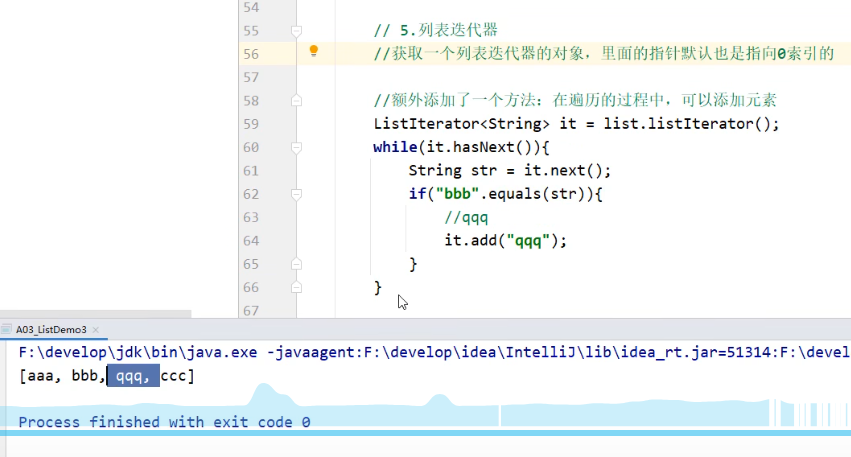
ArrayList
- 原理
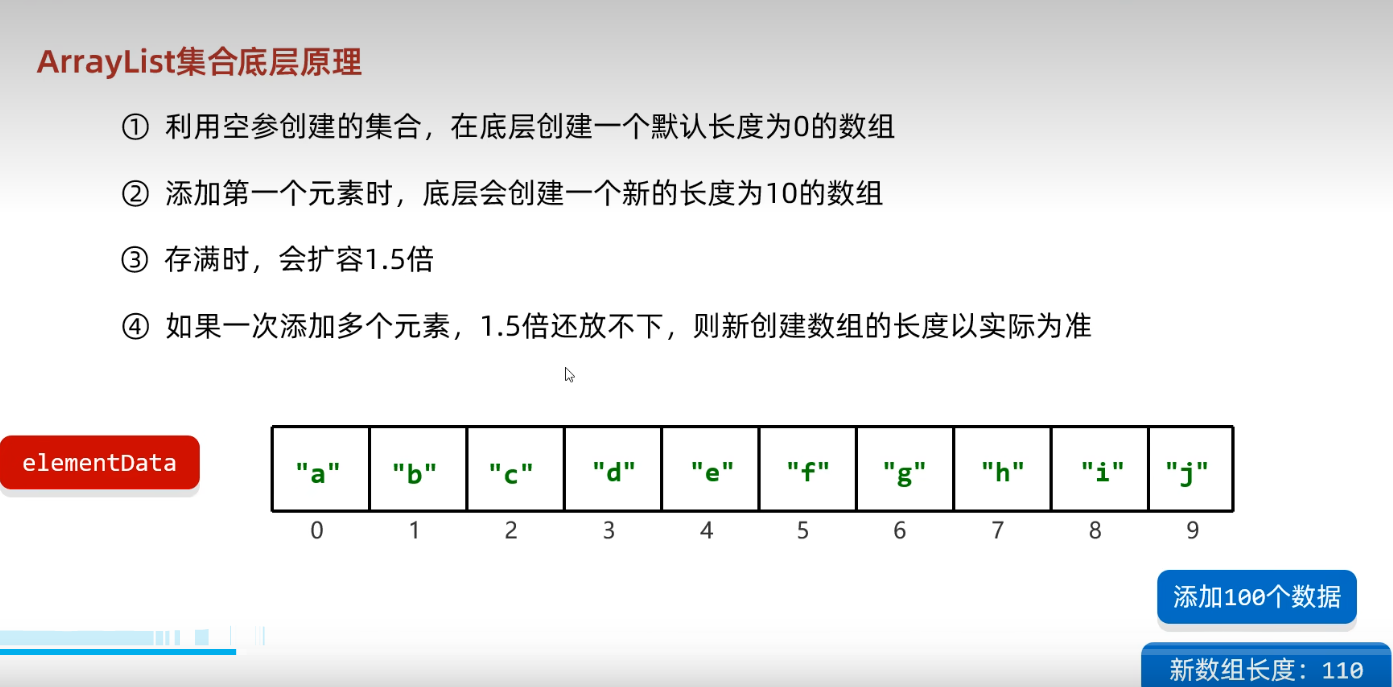
源码
- 先在
main中断下, 再在ArrayList中添加断点 - 初始化
public ArrayList() {
    this.elementData = DEFAULTCAPACITY_EMPTY_ELEMENTDATA;->{}  这就是空的
}
- 第一次添加 ![[Java/Java SE/excalidraw/arrayListAdd源码.excalidraw]]
- 第11次添加 ![[Java/Java SE/excalidraw/ArrayList扩容.excalidraw]]
linkedList
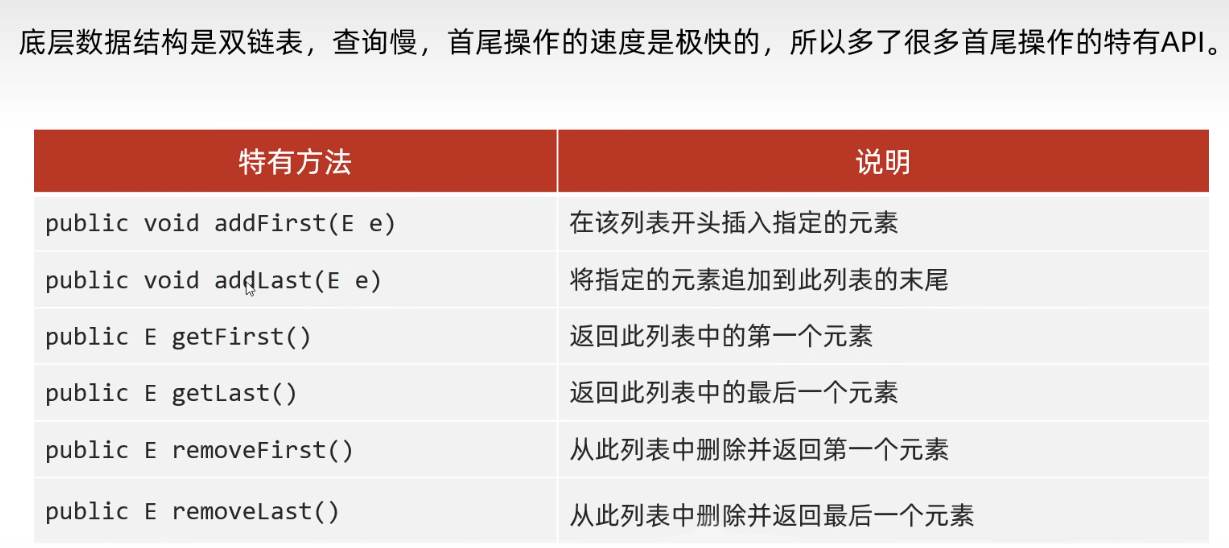
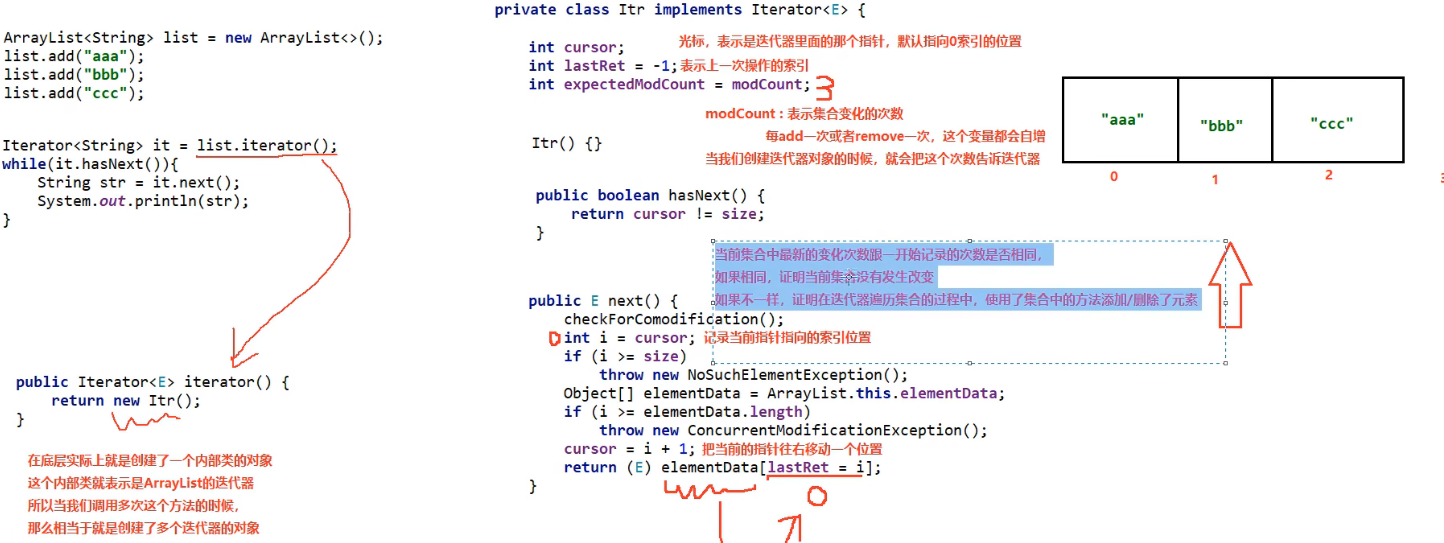
迭代器源码
Set
set中没有特有的方法list中add永远返回true但是set中根据是否添加成功返回true 或者 false
hashset

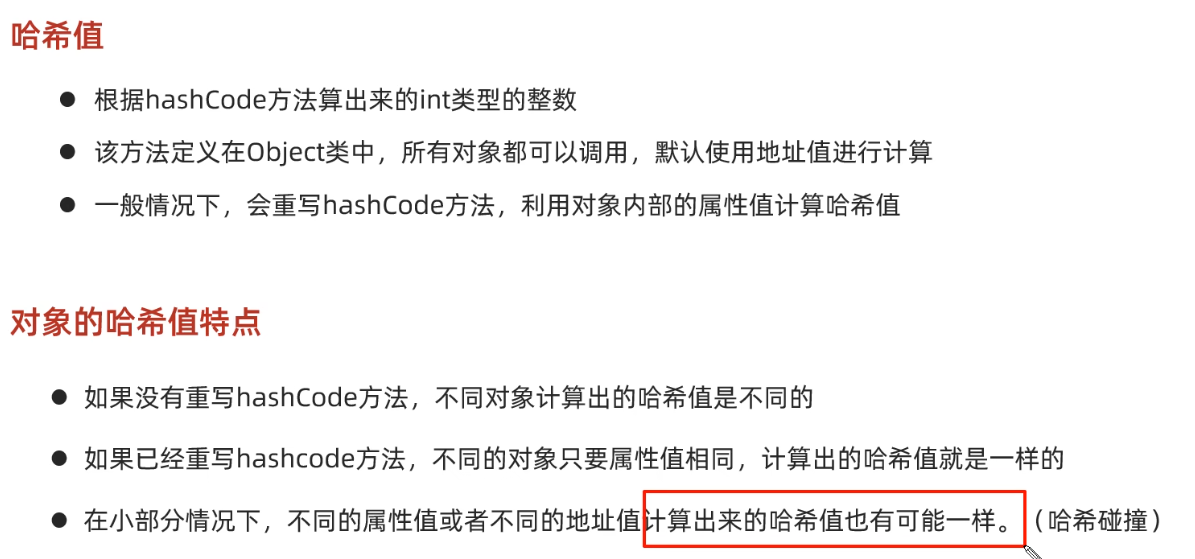
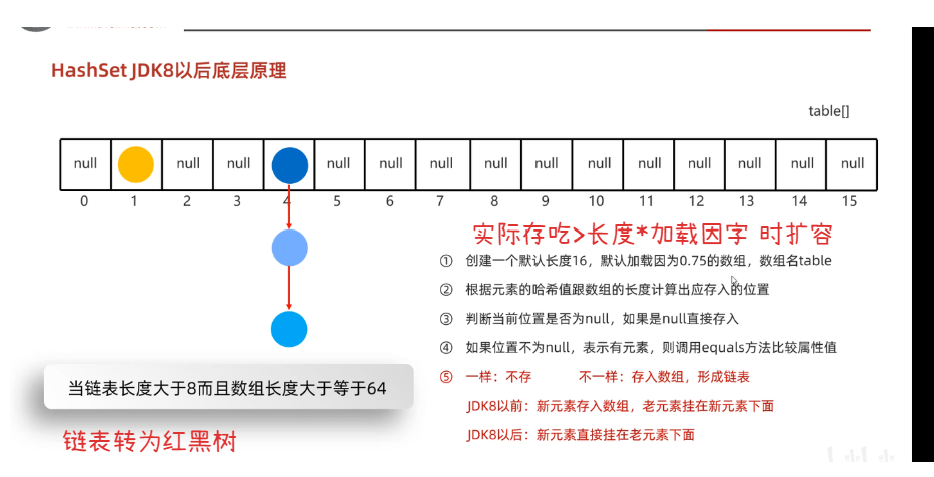
- 使用自定义类型时要 重写
hashCode 和 equals- 重写
hashCode是为了确保 两个属性相同的对象在存入数组时命中同一个索引位置, - 重写
equals是为了确保在命中同一个位置之后比较元素是否相同时比较对象的属性而非地址.
- 重写
- 为什么存和取的顺序不一样
- 因为取时是从数组开头开始遍历
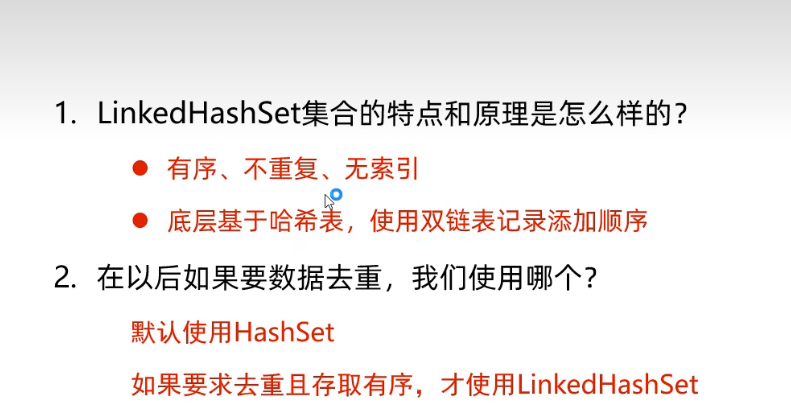
linkedHashSet
treeSet
- 没有特有方法
- 基于红黑树,不需要重写
hashCode 和 equals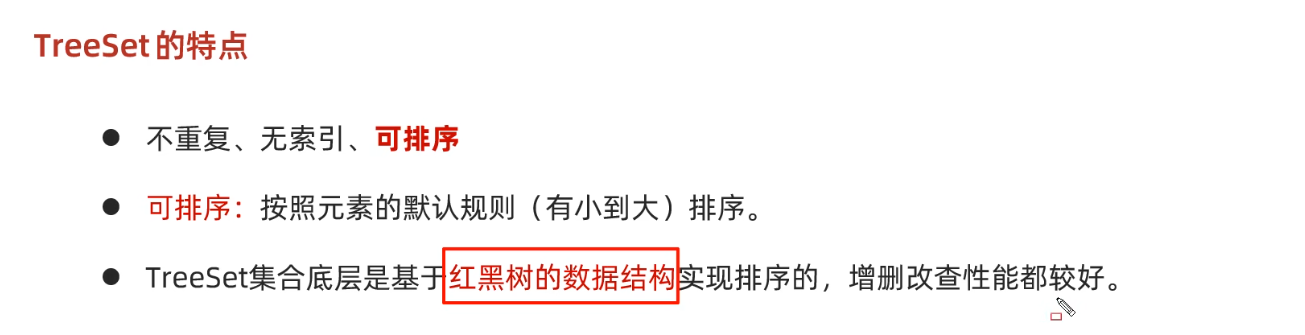
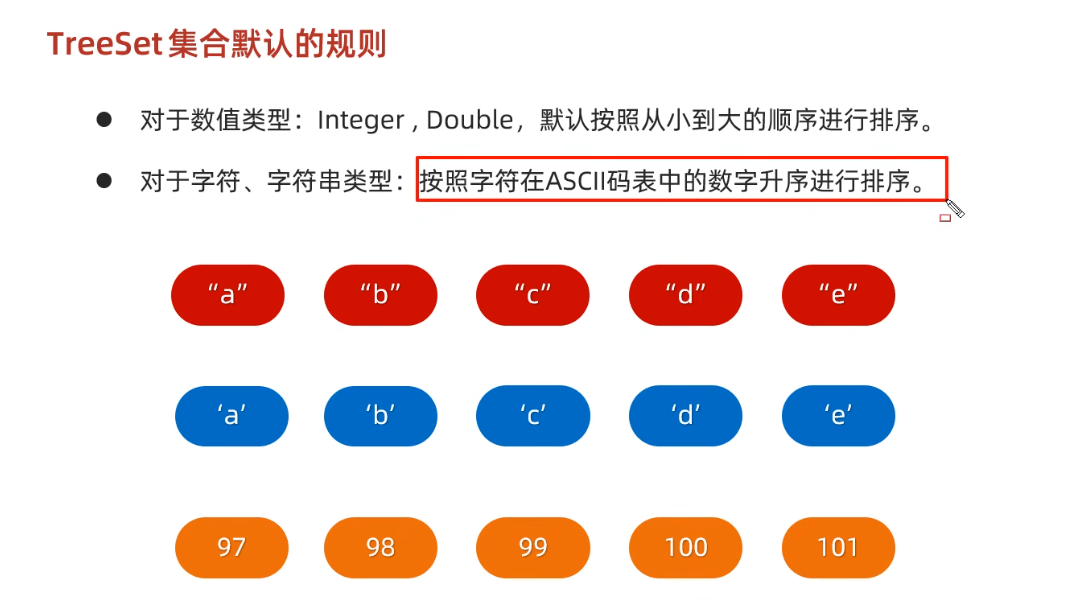
- 多个字符也是按照
ascll表排序, 和长度无关
比较规则
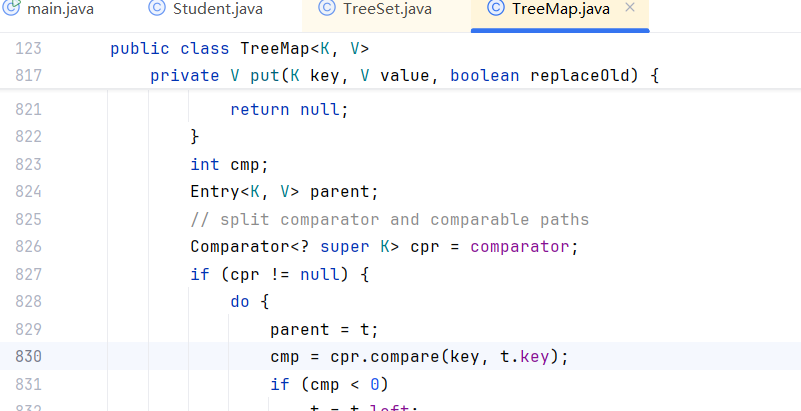
- 两者都有则按照比较器排序
实现 comparable接口
public class Student implements Comparable<Student>{
    private String name;

    @Override
    public int compareTo(Student o) {
        return this.age-o.getAge();
//        return 0;
    }
}

this.aget: 18, o.age: 18
this.aget: 19, o.age: 18
this.aget: 20, o.age: 18
this.aget: 20, o.age: 19
使用 Comparator
-
默认类型如
String实现自定义比较规则时, 总不能重写String的compareTo吧, 此时使用比较器 -
创建
TreeSet时添加Comparator -
返回负数则
o1在o2前面, 返回正数则o2在o1前面
        TreeSet<String> treeSetString  = new TreeSet<>(new Comparator<String>() {
            @Override
            public int compare(String o1, String o2) {
                return o1.length()-o2.length();
//                return 0;
            }
        });