Java IO 流
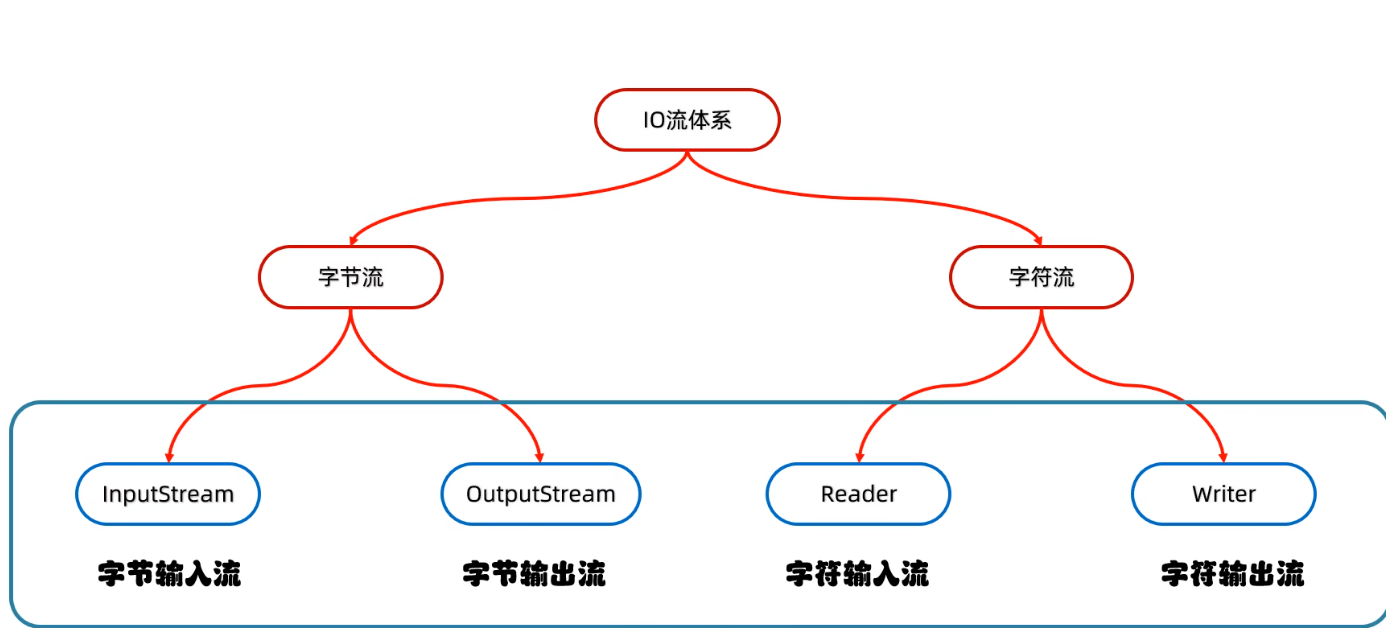
字节流
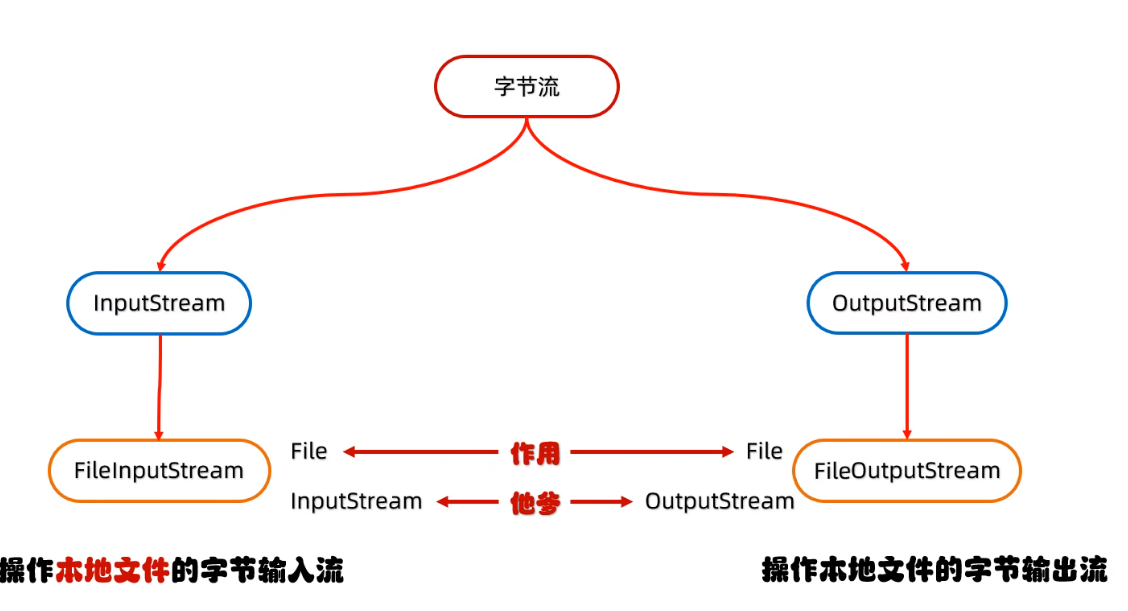
fileOutputStream
- 程序中传入输出流的数据是byte类型
public static void main(String[] args) throws IOException {
    FileOutputStream fos = new FileOutputStream("src/io/a.text");
    fos.write(97);
    fos.write({97,98,99},0,3);
    fos.write("\r\n".getBytes())
    fos.close();
}
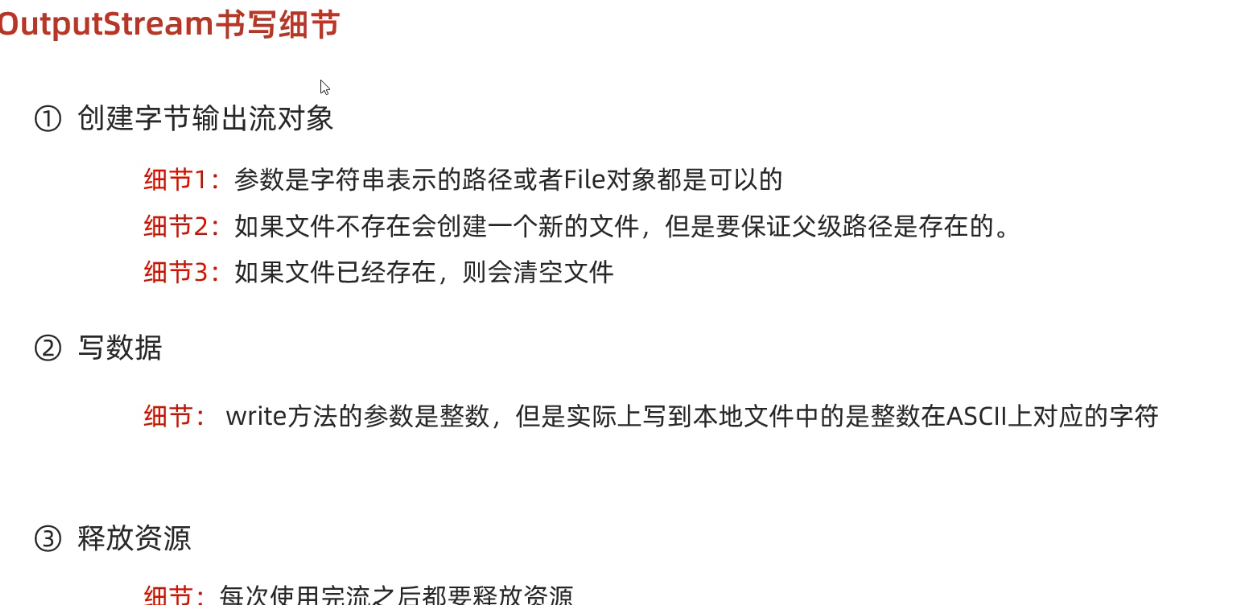
fileinputStream
- 程序从输入流中获取的数据是 byte类型
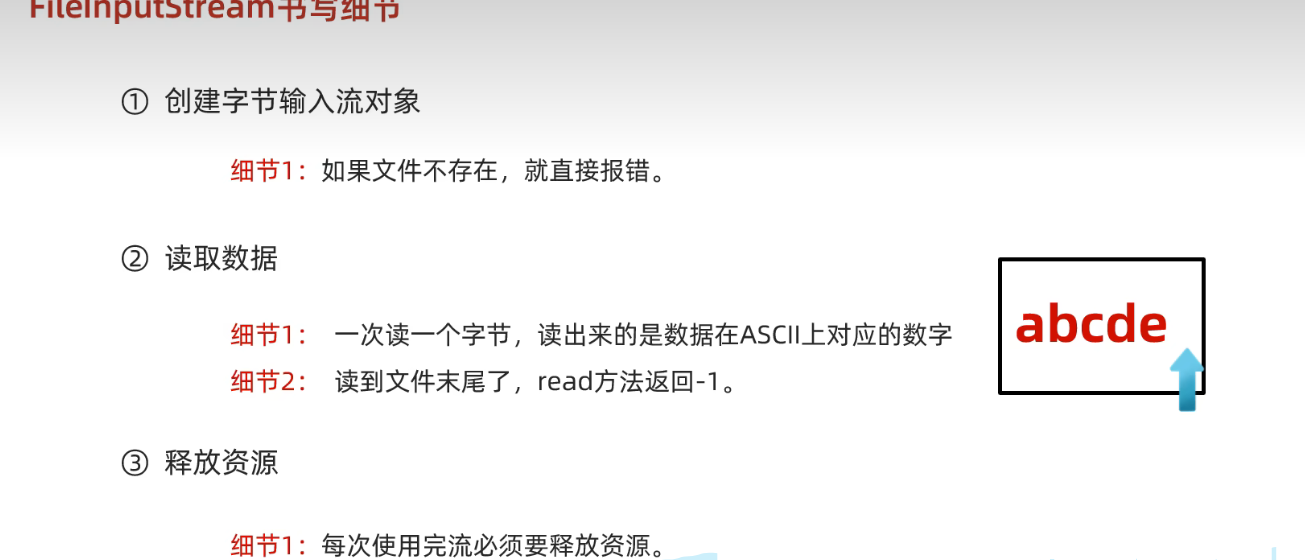
- 读不到返回
-1
FileInputStream fis = new FileInputStream("src/io/a.text");
int b = fis.read();
System.out.println(b);  97
fis.close();

// 循环读取
int b ;
while((b= fis.read())!=-1){
    System.out.print((char) b );
}
demo
文件拷贝
FileInputStream fis = new FileInputStream("src/io/a.text");
FileOutputStream fos = new FileOutputStream("src/io/b.text");

int b;
while((b= fis.read())!=-1){
    fos.write(b);
}

fos.close();
fis.close();
文件拷贝读数组
FileOutputStream fos = new FileOutputStream("src/io/b.text");

byte[] b = new byte[10];
while((fis.read(b))!=-1){
    fos.write(b,0,b.length);
}

fos.close();
fis.close();
编码
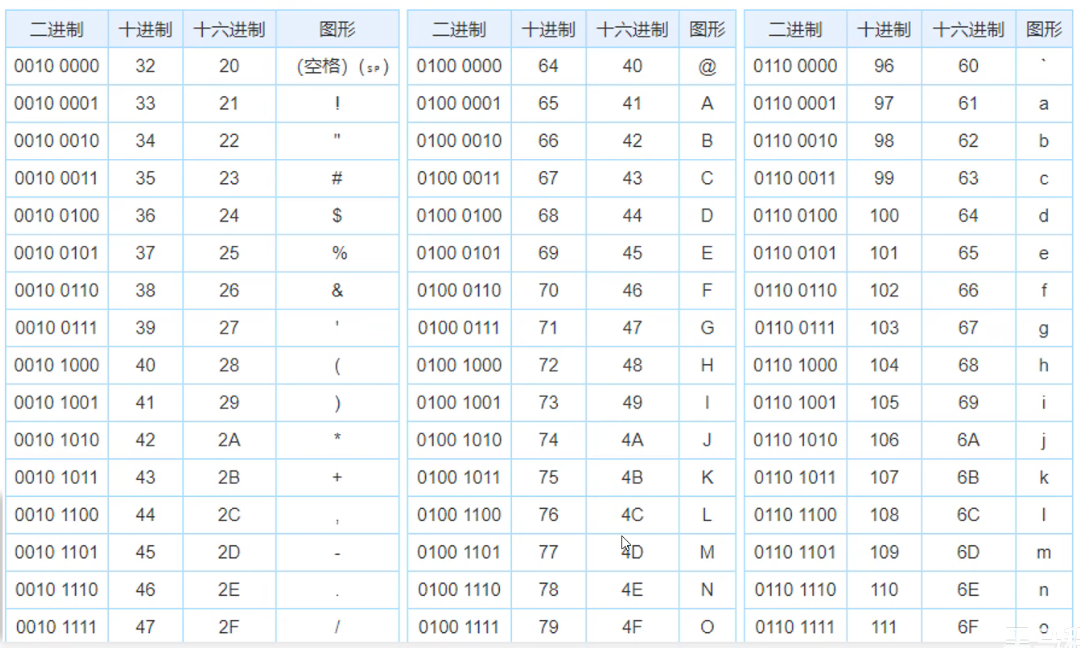
ascll
- 这些符号占一个字节
gbk
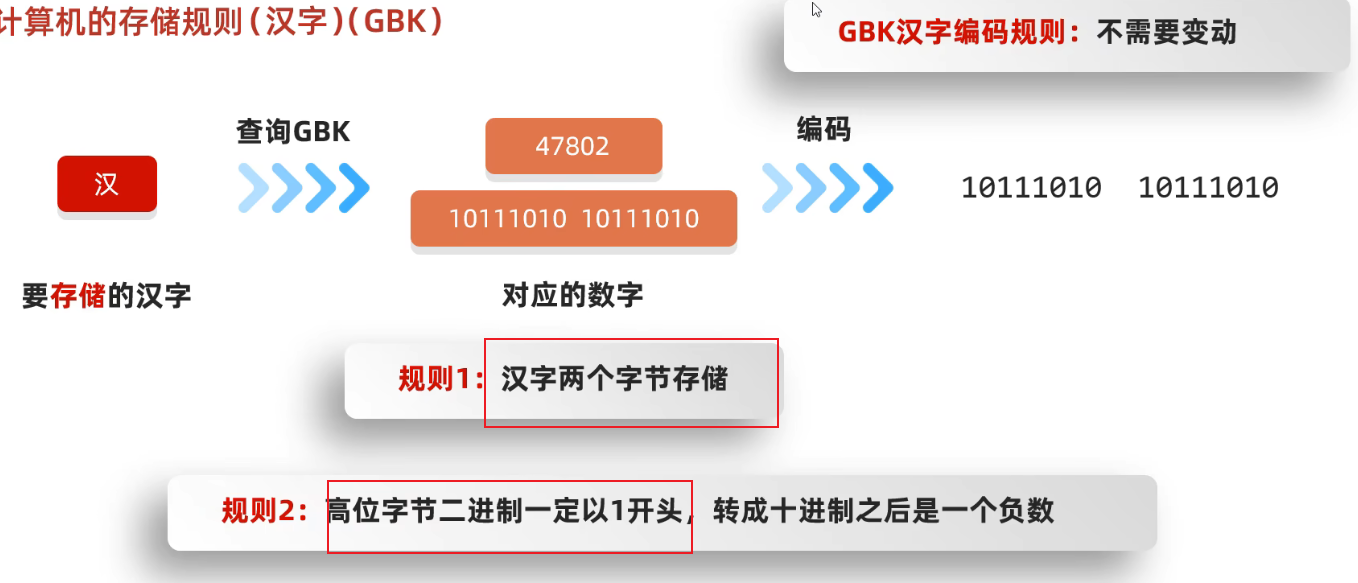
- 汉字gbk中是两个字节
- 第一个字节转为十进制是负数
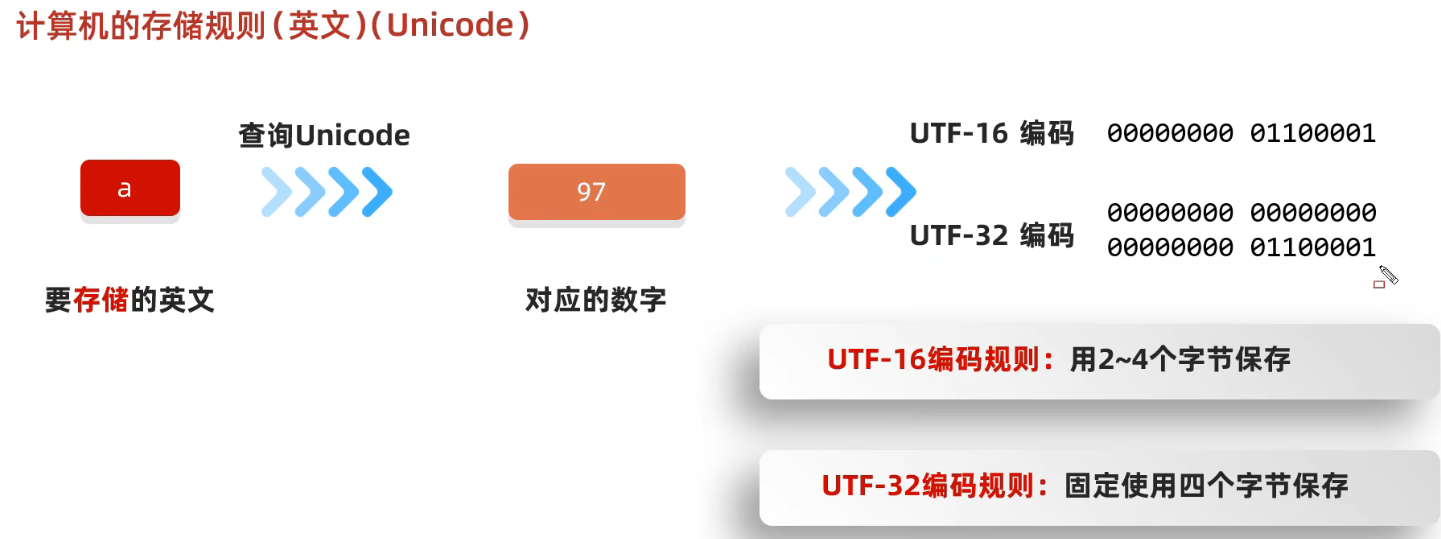
unicode
utf-8
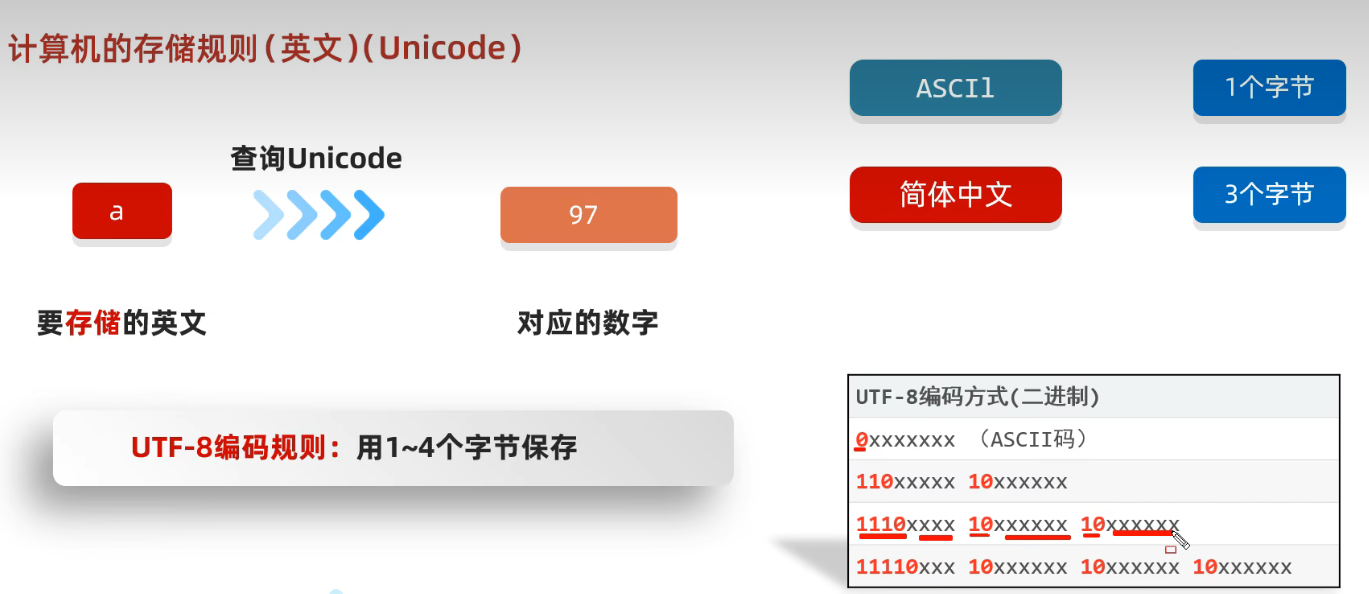
进行编码有两步: 查表, 填充 因此解码也有两步: 取值, 查表
- 查
unicode后对x进行填补 - 例如: 汉查
unicode后是27721->01101100 01001001, 存到xxx
字符流
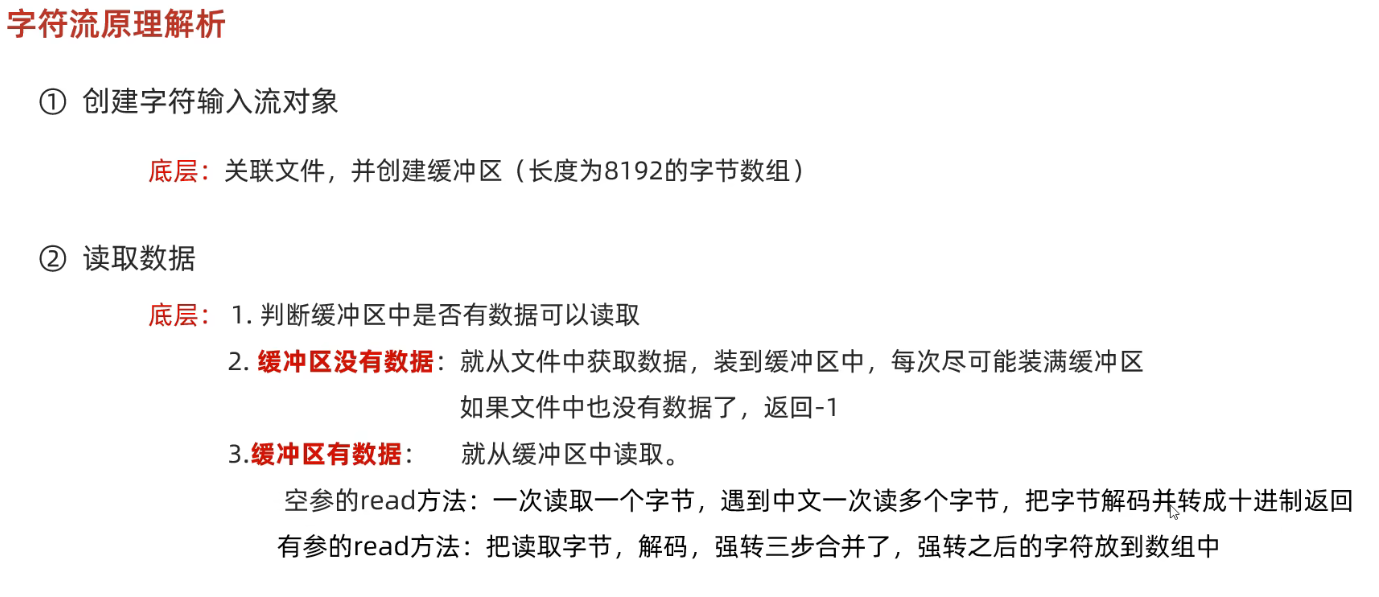
- 底层是字节流
- 默认一次读取一个字节, 遇到中文时一次读取多个(
gbk:2, utf-8:3)
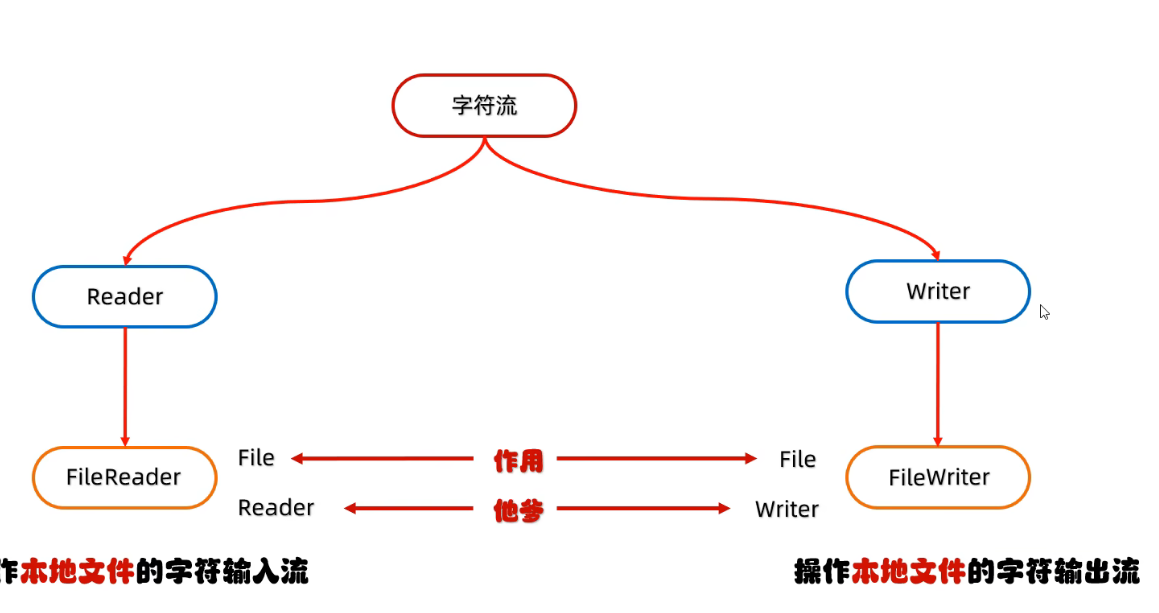
fileReader
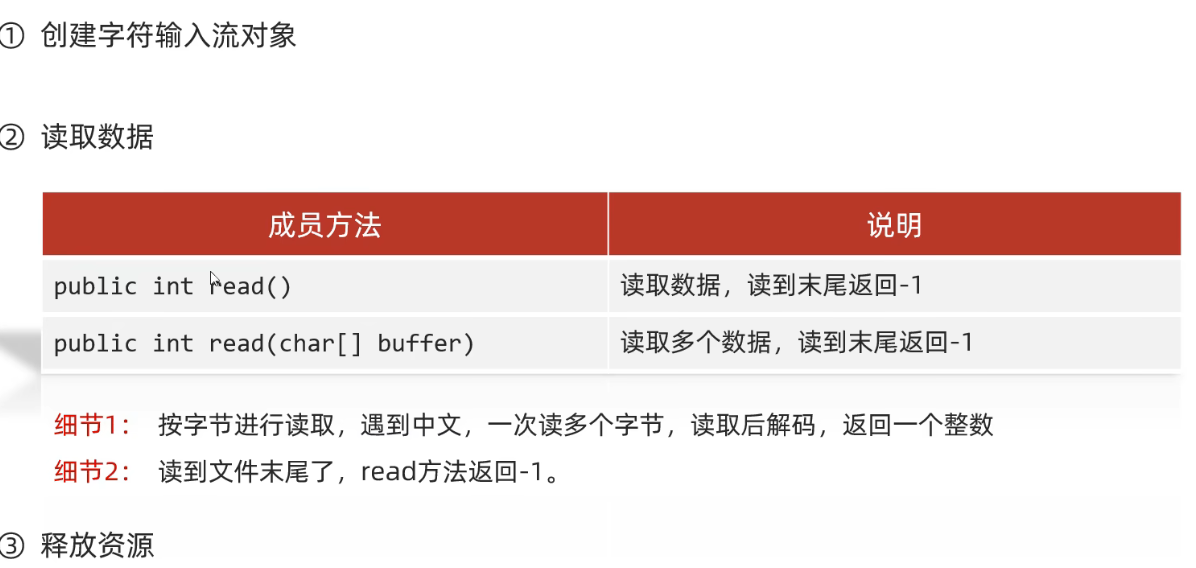
- 默认一次读取一个字节, 遇到中文时一次读取多个(
gbk:2, utf-8:3), 读完后解码转为十进制, 这个十进制是字符集上的数字- 例如: 汉在文件中存储的是下面的3个字节, 但是会将黑色的数字拿出来排列成两个字节=>
01101100 01001001用int解读数字是27721
- 例如: 汉在文件中存储的是下面的3个字节, 但是会将黑色的数字拿出来排列成两个字节=>
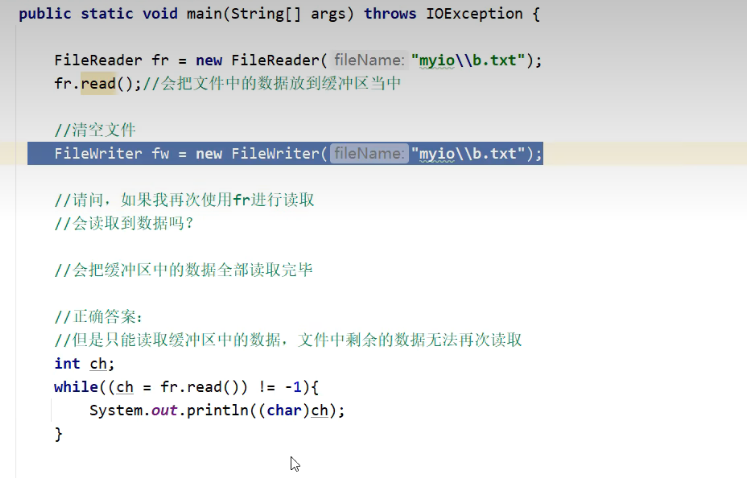
read只是进行了解码操作中 的取值操作, 并没有进行查表; 得到的是取值后的数,要得到字符要进行查表(强转)
FileReader fr = new FileReader("src/io/aReader.text");
// 默认一次读一个字节, 遇到中文一次读多个字节, utf-8:3
这里只 取值, 不查表
int ch;
while((ch = fr.read())!=-1){
    System.out.println(ch);
}
27721 汉
20320 你
22909 好
13    0d
10    0a

int len;
char[] chars = new char[2];
while((len = fr.read(chars))!=-1){
// 这里不仅取值, 也进行了查表操作
    System.out.print(new String(chars,0,len));
}
fileWriter
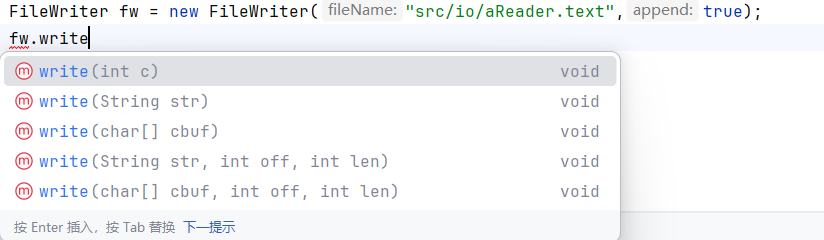
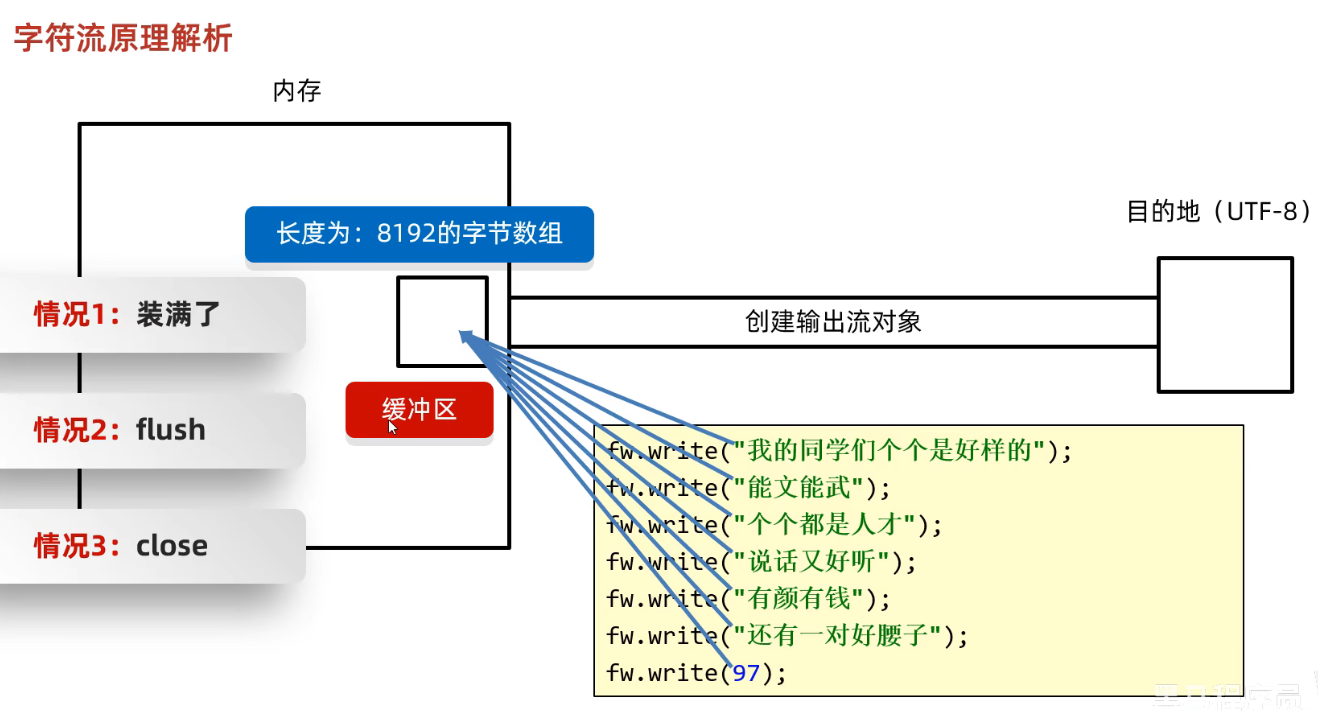
int是先将int编码,再写入
字符流原理
输入流
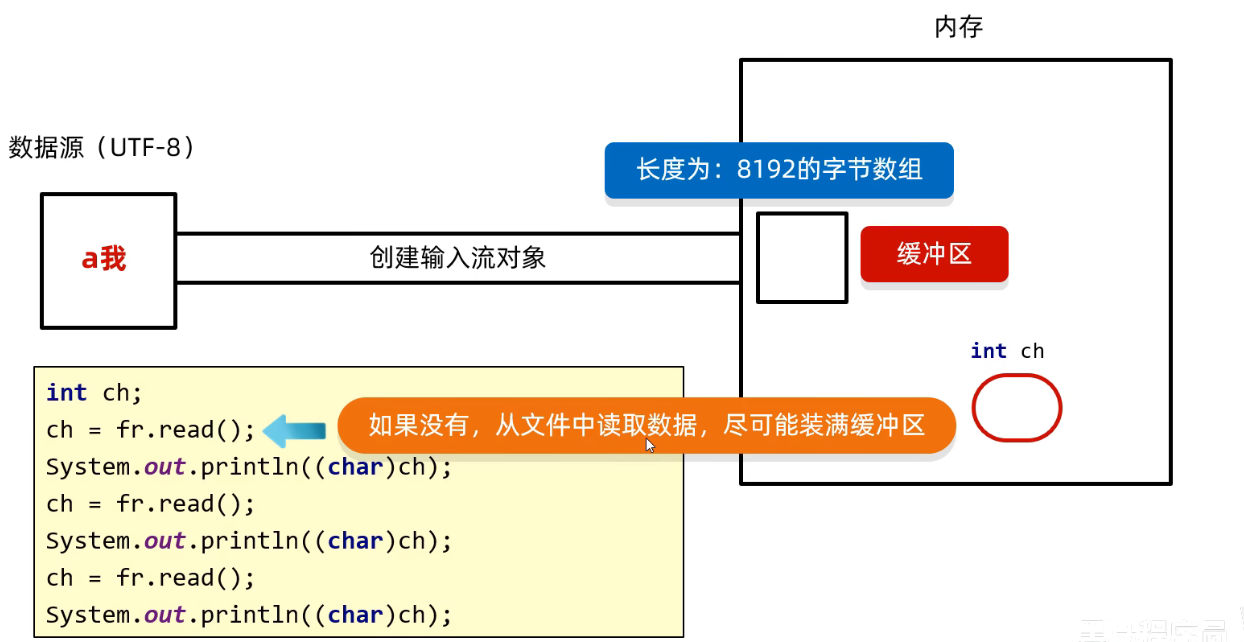
输出流
demo
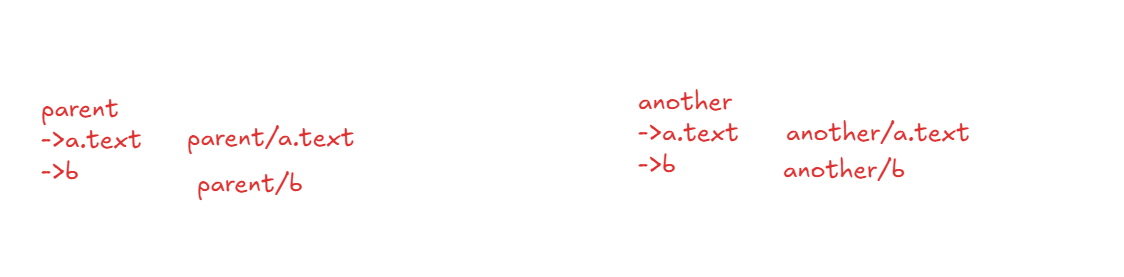
文件夹拷贝
public static void main(String[] args) throws IOException {
    File src = new File("src/io/test");
    File dst = new File("src/io/testDest");

    copy(src,dst);
}

private static void copy(File src, File dst) throws IOException {
    dst.mkdirs();

    File[] files = src.listFiles();
    for (File file : files) {
        if(file.isFile()){
            //拷贝文件
            String fileName = file.getName();

            File srcFile = new File(src,fileName); //parent/a.text
            File destFile = new File(dst, fileName);//another/a.text
            copyWrite(srcFile,destFile);
        }else{
            // 拷贝文件夹
            String fileName = file.getName();
            File srcFile = new File(src,fileName); //parent/aFolder
            File destFile = new File(dst, fileName);//another/bFolder
            copy(srcFile,destFile   );
        }
    }

}

private static void copyWrite(File srcFile, File destFile) throws IOException {
    FileInputStream fis = new FileInputStream(srcFile);
    FileOutputStream fos = new FileOutputStream(destFile);

    int len;
    byte[] bytes = new byte[1024];
    while((len = fis.read(bytes))!=-1){
        fos.write(bytes,0,len);
    }

    fos.close();
    fis.close();
}
缓冲流
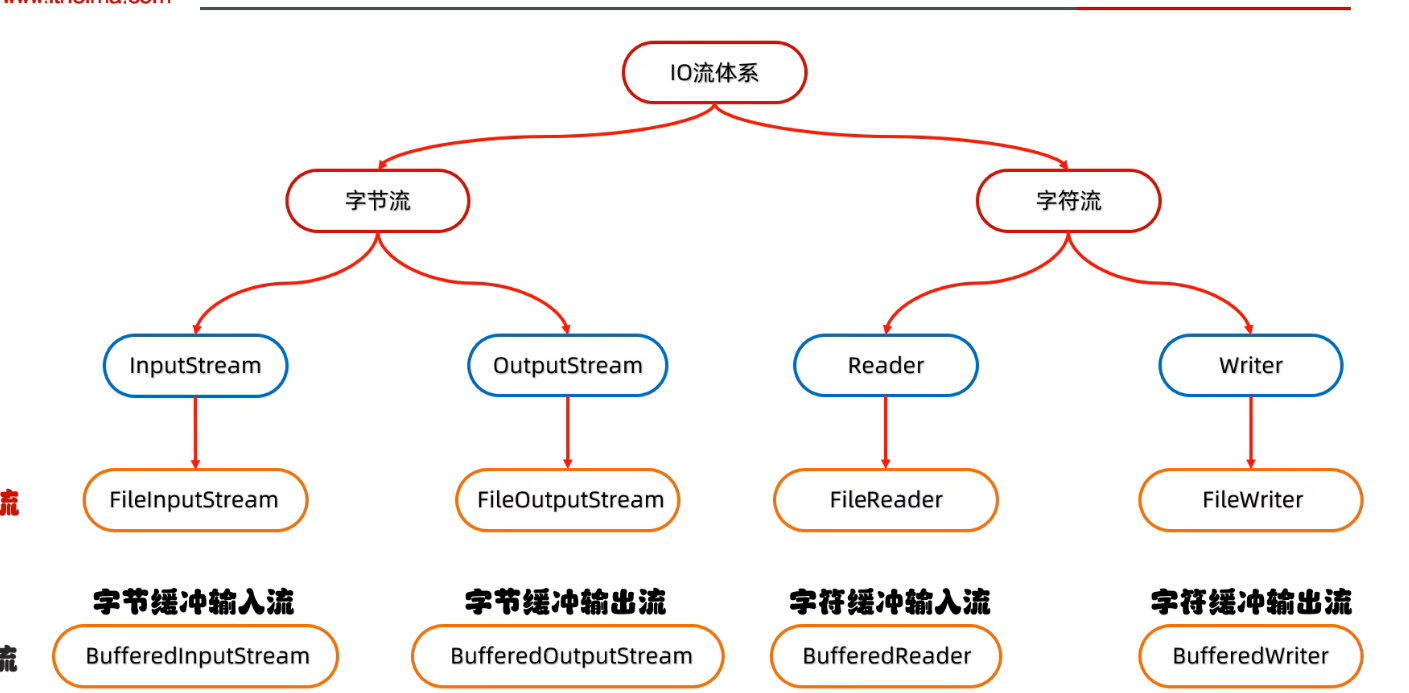
字节缓冲流
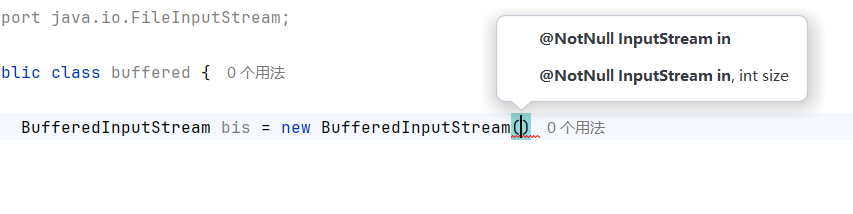
- 可以手动设置缓冲区大小
- 字节缓冲流的方法和字节流一样, 返回的都是字节
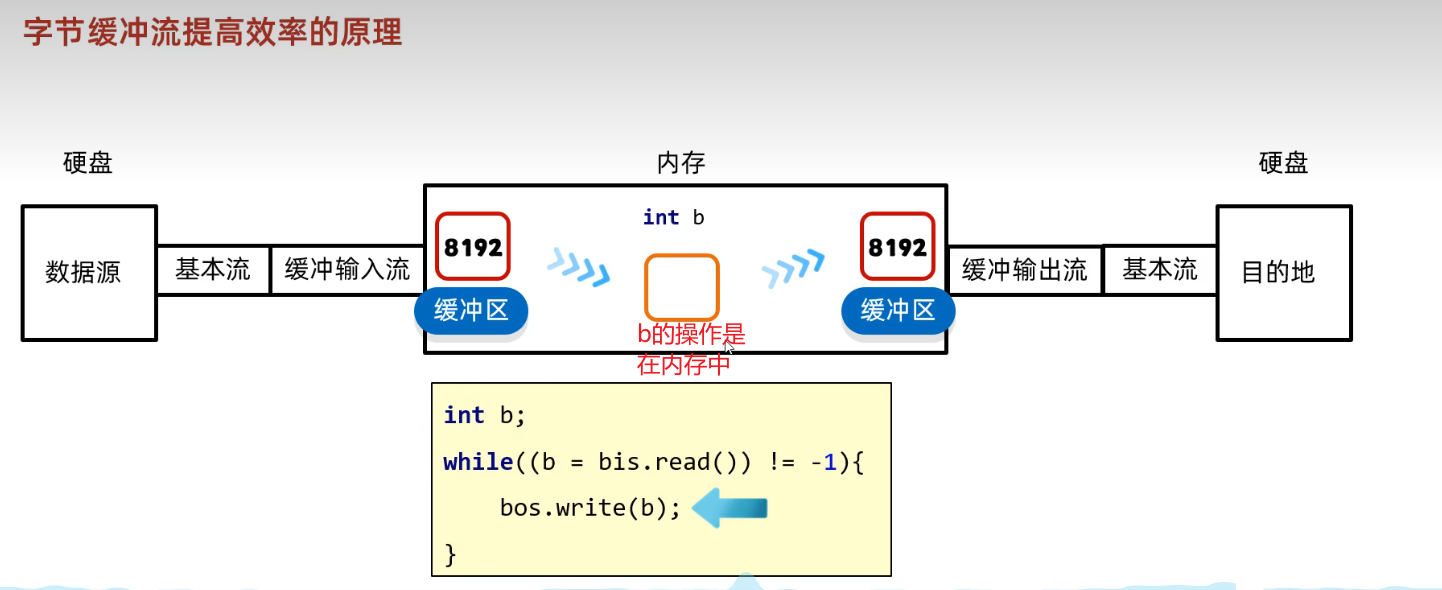
- 左边空了就从硬盘中重新获取, 右边满了就写到硬盘
字符缓冲流
- 字符流自带缓冲区, 但是字符缓冲流自带两个方法
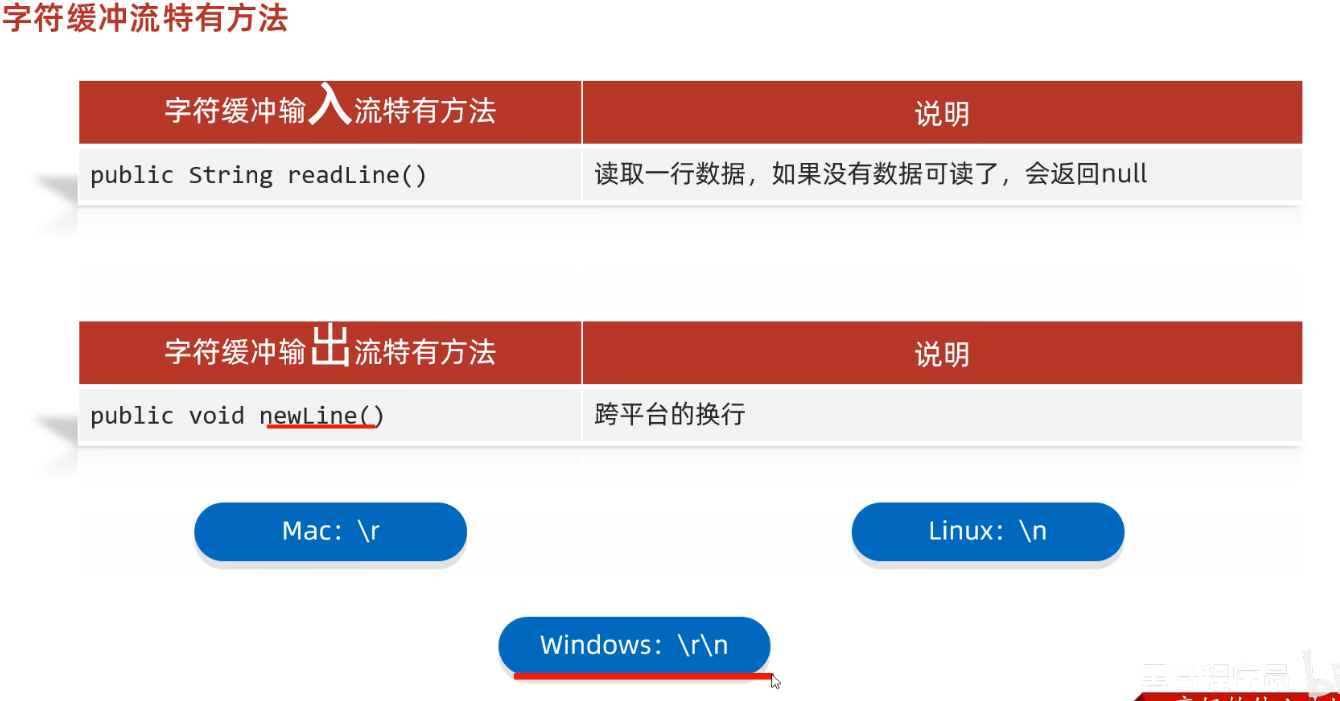
BufferedReader br = new BufferedReader(new FileReader("src/io/a.text"));
String s;
while((s = br.readLine())!=null){
    System.out.println(s);
}
br.close();

BufferedWriter bw = new BufferedWriter(new FileWriter("src/io/a.text",true));
bw.newLine();
转换流
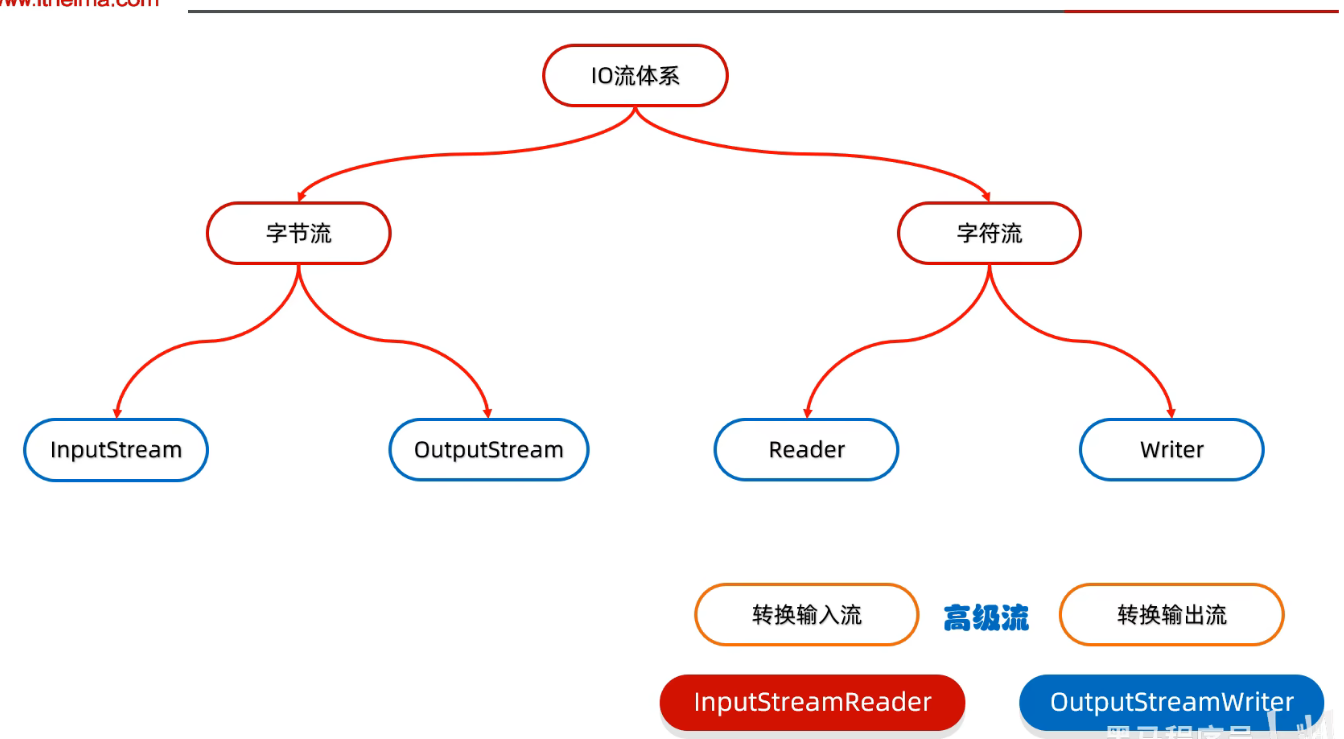
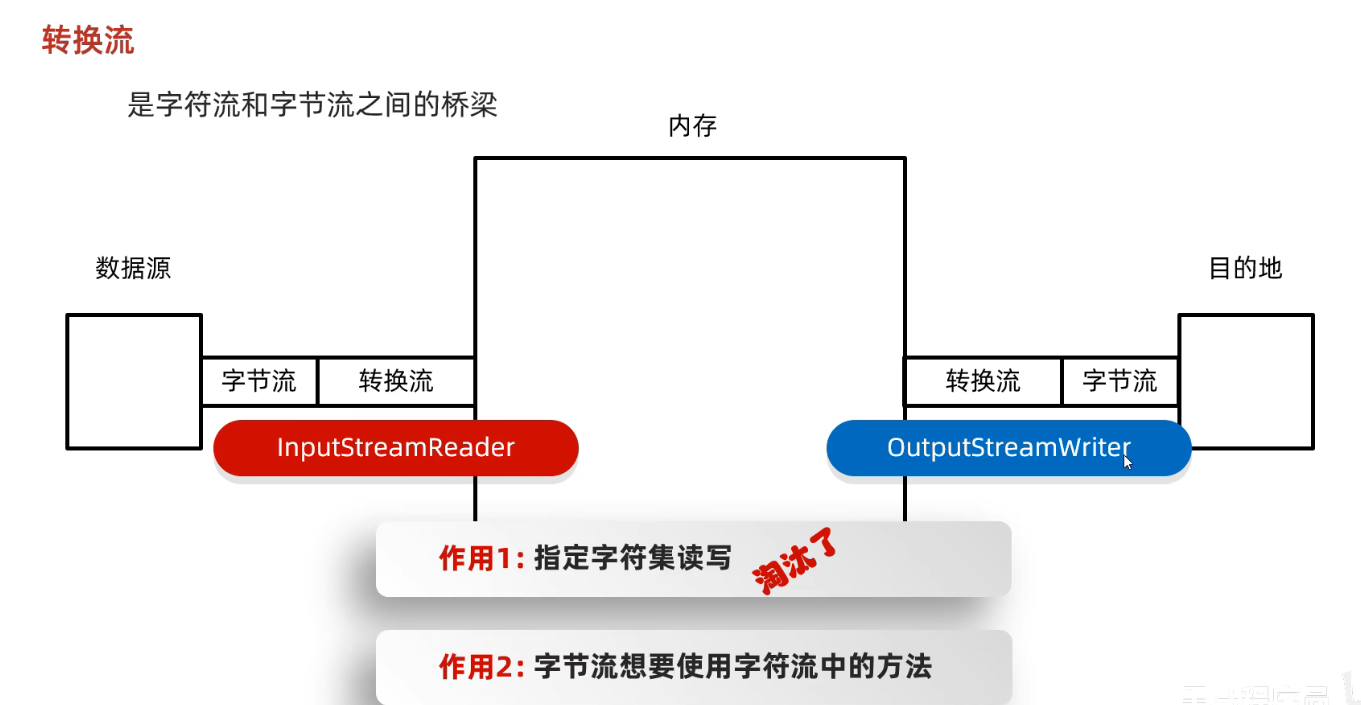
- 转换流就是字符流
序列化流
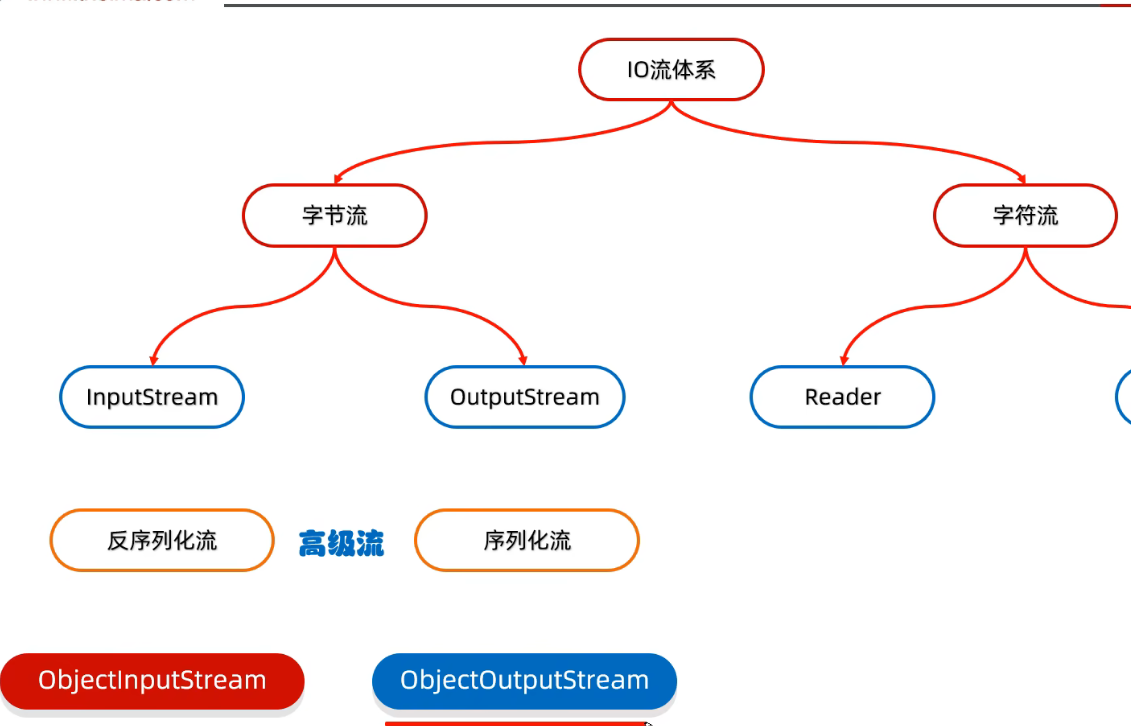
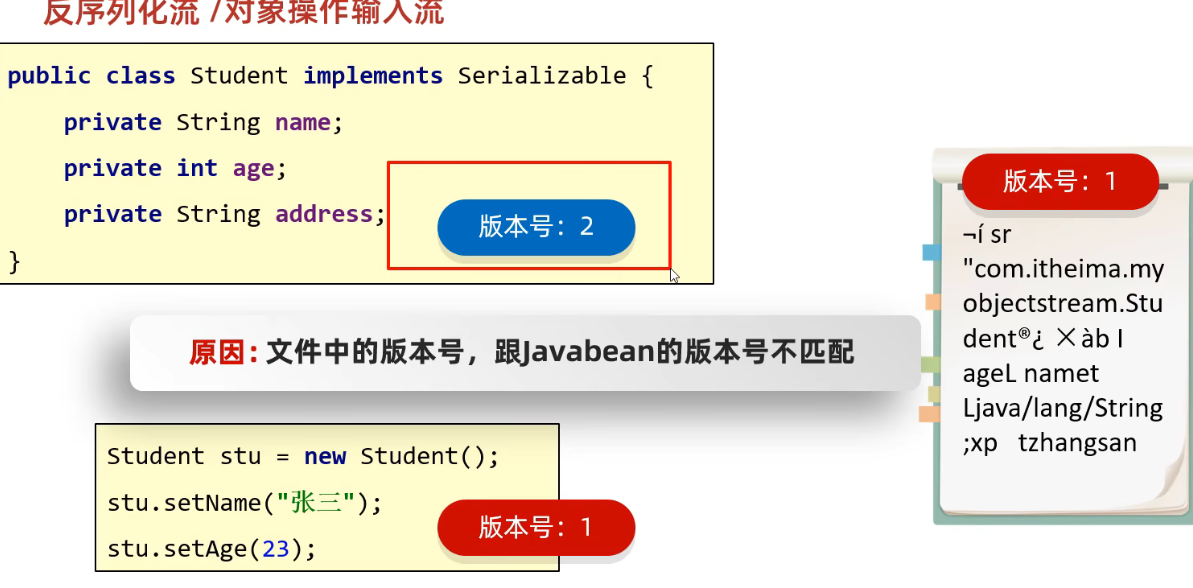
- 将
java对象写到本地文件, 从本地文件读取到java对象中.
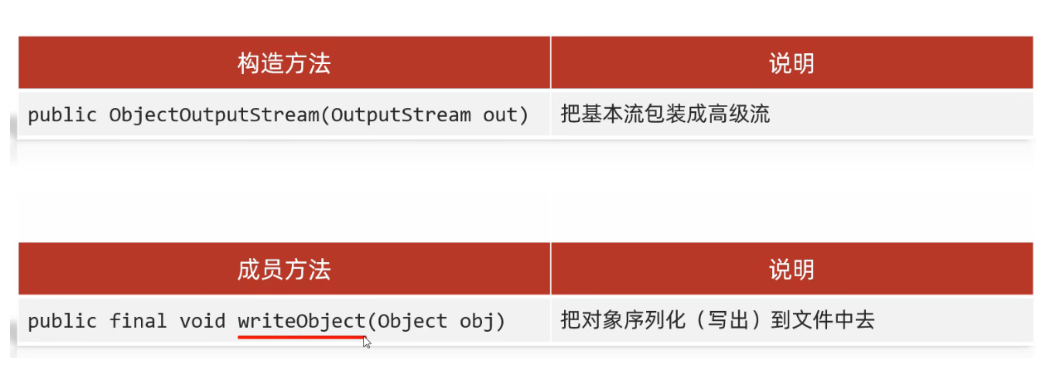
-
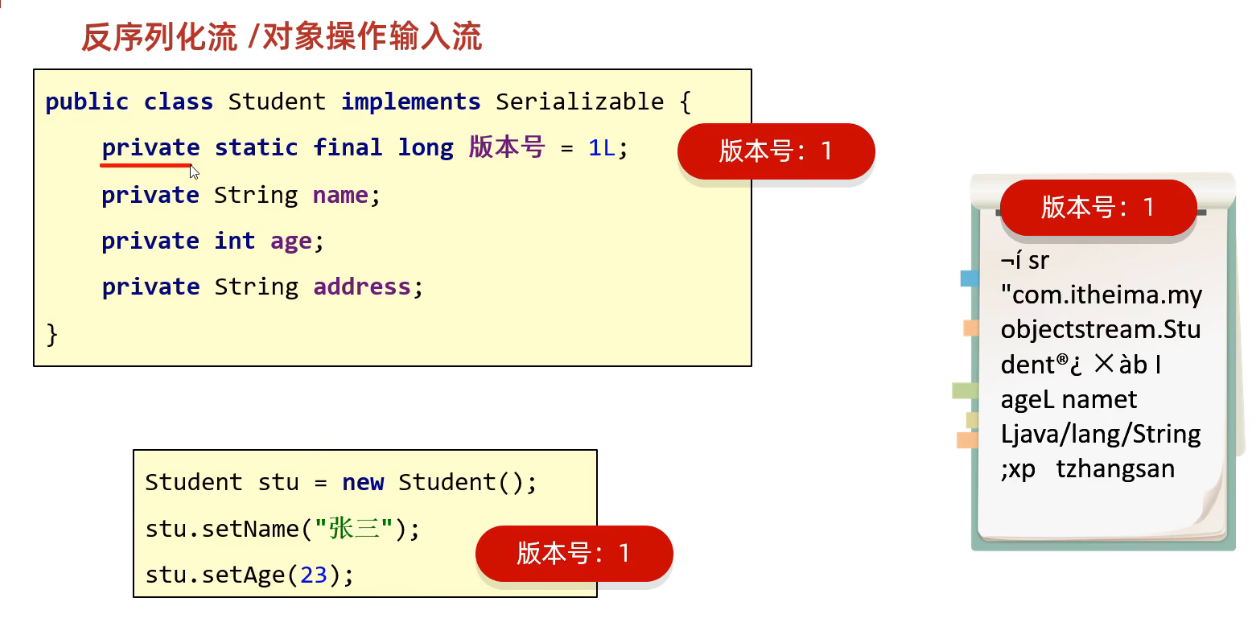
版本号问题
-
可以固定版本号
打印流
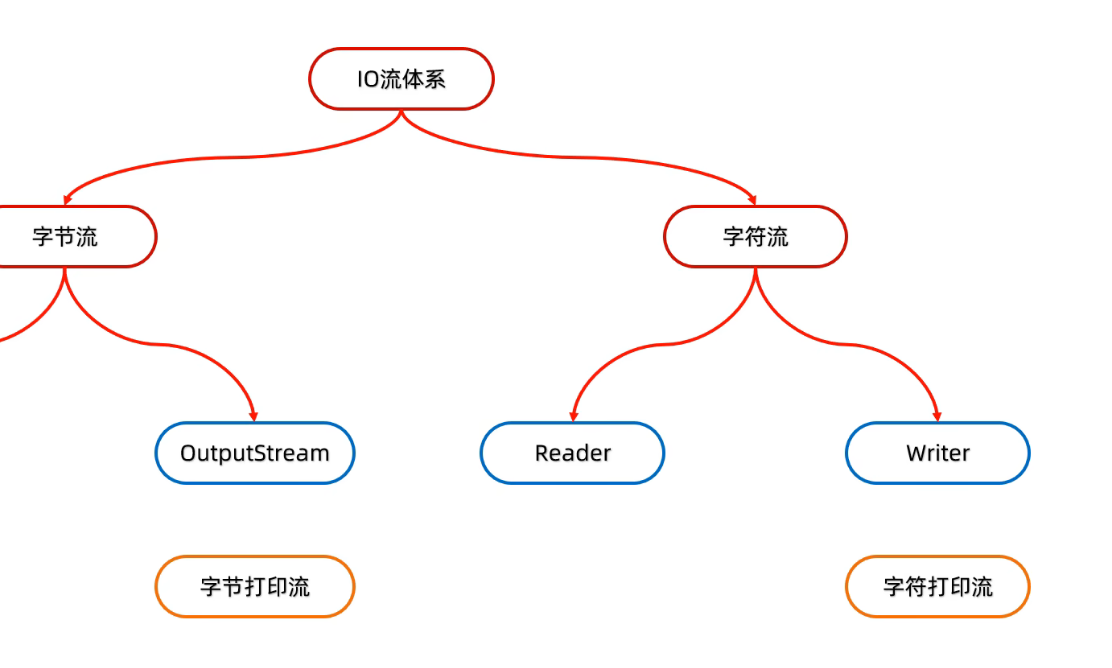
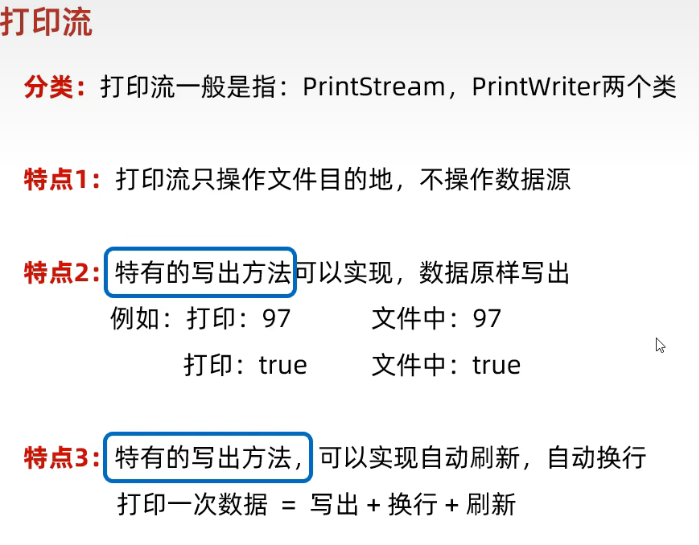
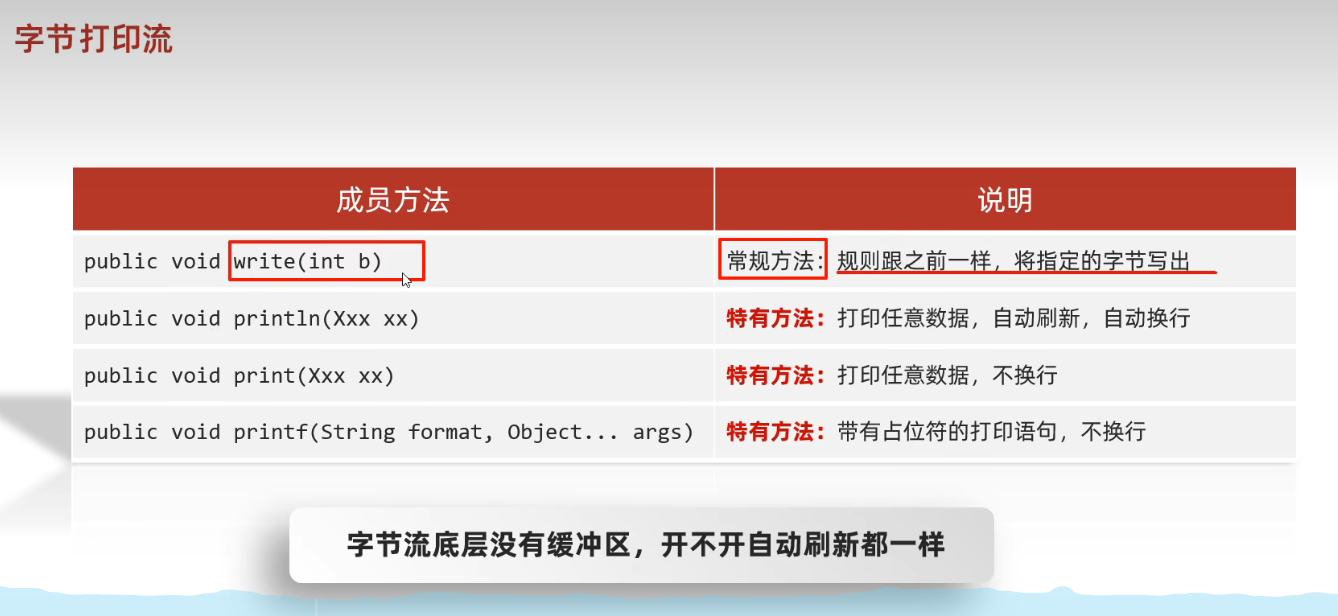
字节打印流
压缩
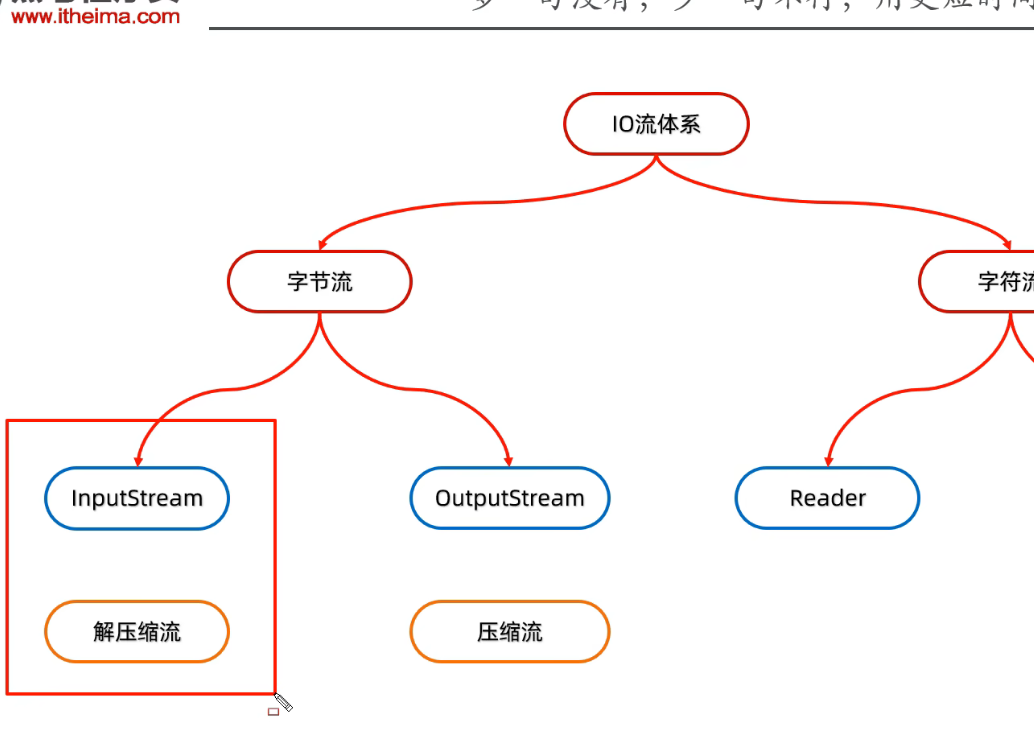
解压缩流
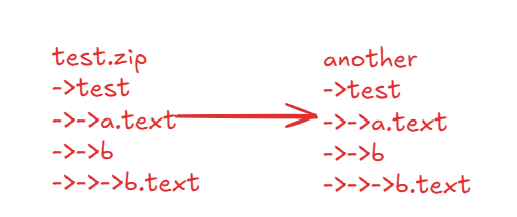
public static void main(String[] args)  throws IOException{
    File src = new File("src/io/test.zip");
    File dst = new File("src/io/testZip/");
    unzip(src,dst);

}

public static  void unzip(File src, File dst) throws IOException {
    ZipInputStream zip = new ZipInputStream(new FileInputStream(src));

    ZipEntry zipEntry ;
    while ((zipEntry = zip.getNextEntry())!=null){

        if(zipEntry.isDirectory()){
            // 文件夹
            File dir = new File(dst, zipEntry.toString());
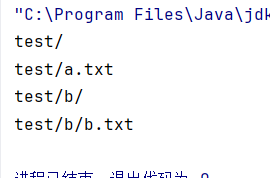
            System.out.println(dir.toString());
            dir.mkdirs();
        }else{
            //文件
            FileOutputStream fos = new FileOutputStream(new File(dst, zipEntry.toString()));
            int b;
            while((b = zip.read())!=-1){
                fos.write(b);
            }
            fos.close();
            // 压缩包中的一个文件处理完毕了
            zip.closeEntry();
        }

    }
    zip.close();
}
压缩流
单个文件
/**
 * * @param src a.text
 * @param dst src/io/
 */public static void toZip(File src, File dst) throws IOException {
    File file = new File(dst, "a.zip");
    ZipOutputStream zipOut = new ZipOutputStream(new FileOutputStream(file));

    // 使压缩包有响应的结构
    ZipEntry zipEntry = new ZipEntry("a.text");
    zipOut.putNextEntry(zipEntry);

    FileInputStream fis = new FileInputStream(src);
    int b;
    while((b = fis.read())!=-1){
        zipOut.write(b);
    }

    fis.close();
    zipOut.closeEntry();
    zipOut.close();
}
- 在放到
zipEntry之后直接向zipOut中写就是向刚刚的zipEntry中写
压缩文件夹
File src1 = new File("src/io/test");
File dst1 = new File("src/io/test1.zip");
ZipOutputStream zos = new ZipOutputStream(new FileOutputStream(dst1));
dirToZip(src1, zos, "test");
zos.close();

    /**
     * 把src 目录下的文件和文件夹 向 压缩包内部 innerPath写
     *
     * @param src       /src/io/test 把这个文件夹吓得内容进行移动
     * @param zos       /src/io/test1.zip 因为要递归所以第二个参数不能是zip, 得是流
     * @param innerPath 压缩包内部文件夹
     */
    public static void dirToZip(File src, ZipOutputStream zos, String innerPath) throws IOException {
        File[] files = src.listFiles();
        for (File file : files) {
            if (file.isFile()) {
//                System.out.println(file.getName());
                System.out.println(innerPath + "\\" + file.getName());
                ZipEntry zipEntry = new ZipEntry(innerPath + "\\" + file.getName());
                zos.putNextEntry(zipEntry);

                FileInputStream fileInputStream = new FileInputStream(file);
                int b;
                while((b = fileInputStream.read())!=-1){
                    zos.write(b);
                }
                fileInputStream.close();
                zos.closeEntry();
            } else {

                File file1 = new File(src.toString() + "\\" + file.getName());
                dirToZip(file1,zos,innerPath + "\\" + file.getName());
            }
        }
    }